Seeker+ Setup Guide & Resources
Connect to your PMI recorders, view live data, download recordings, and transfer everything to PQ Canvass. Available on iOS and Windows.
Need help? Support is available 24/7 at (800) 296-4120
Have a PQ question? Ask Merlin™. Email us your toughest PQ questions and get answers backed by decades of PQ experience—free. askmerlin@powermonitors.com
QUICK START: 4 STEPS TO FIRST RECORDING
1. Install & hook up — Place the Seeker+ in position and connect CTs and voltage leads.
2. Verify LEDs — Green = good. Orange or purple = recheck connections.
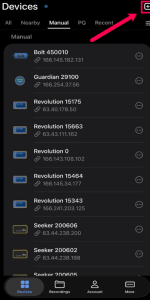
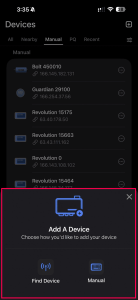
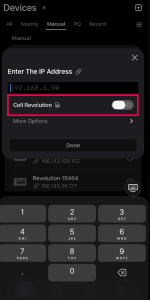
3. Connect via PMI View — Enable Bluetooth (BLE), discover your Seeker+, update firmware.
4. Upload to PQ Canvass — Upload your data and let Merlin dig through it for answers.
DOCUMENTATION & SPECS
Information Sheet — Measurement ranges, connection details, and quick-reference specs for the Seeker+.
SOFTWARE & PLATFORMS
Merlin™ — AI-Powered PQ Analysis in PQ Canvass. Turn 5 hours of manual analysis into 15 minutes. Get severity-ranked findings on the AI Dashboard, investigate issues with Merlin™ Chat, and generate customer letters and reports with the Document Writer.
PQ Canvass — Cloud platform for power quality data analysis. The Seeker+ streams continuously to PQ Canvass, where Merlin™ turns recordings into answers.
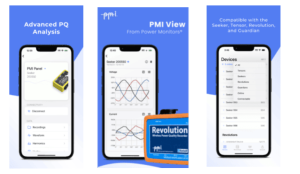
PMI View (iOS) — Mobile app for field configuration and data retrieval.
PMI View (Windows) — Desktop app for recorder management and data download.
TRAINING & EDUCATION
Whether you’re new to power quality or a seasoned engineer, PMI offers training to help you get the most out of your equipment and deepen your expertise.
On-Site Training — Free · Customized. Free training at your location, covering PQ investigations, product usage, and best practices.
Live Webinars — Free · Online. Free online classes covering power quality topics and how-tos for PMI tools. New sessions added regularly.
PQ Essentials Course — 7 Sessions · PDH Eligible. Seven 60-minute weekly webinars for engineers and technicians. Eligible for 7 PDH credits and 0.7 CEUs.
White Paper Library — 400+ Papers. In-depth research on power quality, harmonics, voltage regulation, waveform analysis, and more.
FREQUENTLY ASKED QUESTIONS
What is the Seeker+?
The Seeker+ is PMI’s handheld power quality recorder with no setup required. It captures voltage, current, supraharmonics, and 1 MHz transients with GPS-stamped data that streams continuously to PQ Canvass for analysis with Merlin.
Where can I find the information sheet?
The Seeker+ Z-Card (spec sheet) is available in the Documentation & Specs section. It includes measurement ranges, connection details, and quick setup info.
What software works with the Seeker+?
Seeker+ recordings stream continuously to PQ Canvass, where Merlin can analyze the data and answer questions about it. PMI View (iOS and Windows) is also available for field configuration and data retrieval.
Where do I get firmware updates?
Firmware, drivers, and supporting downloads are in the PMI Support Center. If you’re not sure which version you need, our 24/7 tech support team can walk you through it.
How do I get training on the Seeker+?
PMI offers free live webinars, PDH-eligible courses through PQ Essentials, and free on-site training for your team. Browse the full catalog on the PMI training page.
Need more help? Our Technical Support Team is available 24/7. Call (800) 296-4120, visit the Support Center, or browse our full training catalog.