
- The latest Provision software can be installed from the PMI website: https://powermonitors.com/product/provision/
- The latest USB driver – needed to connect all recorders to Provision, can also be downloaded from the PMI website: https://powermonitors.com/downloads/ and click the software tab.
- Software CDs are available on request
- Save and execute the .msi files then select all the default options during the installation.
FAQs
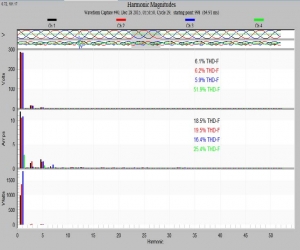
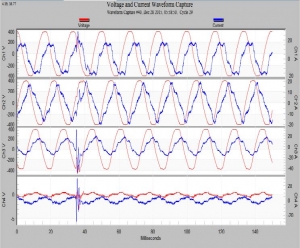
With fundamental displayed
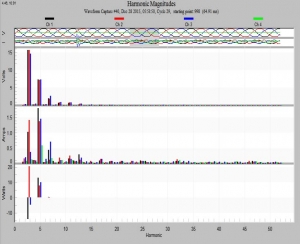
Without fundamental. Toggle using the ‘f’key
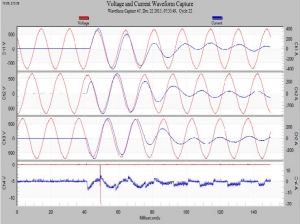
Standard waveform capture graph
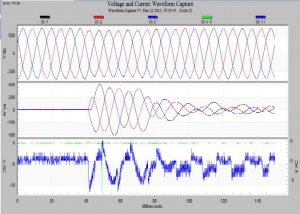
Using the 3 to toggle between 3-phase and individual phase views
Use the L to select different waveforms
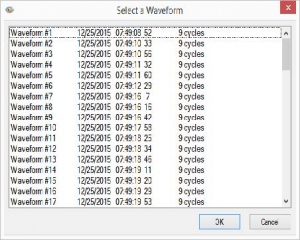
List of waveforms
Ctrl+O: Open file
Ctrl+X: Cut
Ctrl+S: Save file
Ctrl+V: Paste
Ctrl+P: Print
Ctrl+C: Copy
Ctrl+Z: Undo
Ctrl+Y: Redo
F1: Help
Ctrl+Shift+U: Full screen
Ctrl+Shift+F: Find in files
Ctrl+Shift+B: Display or hide the shortcut bar
q Brings up the same menu as right-clicking
e,x Export dialog (Saves graphs as images)
p Print graph
s Toggle between color and black and white
d Export text dialog
k Increase line thickness
j Decrease line thickness
b Set the upper and lower bounds
m Maximize graph
t Toggle the Point Table ON or OFF
- Move your mouse to a peak on the graph, your cursor will turn into a finger, left-click mouse to set the reference line.
- With the Point Table ON you can: Use arrow keys (or page up/down) to move the ‘Point’ to the previous or next point.
Zooming: Zoom in on any graph. Left click mouse and hold, then drag mouse over the area to zoom in on. Release the left button to zoom into the window you made. Supports multiple zooms
- Use arrow keys to move the zoomed window left or right, through the interval data.
u Undo one zoom level
z Undo all zoom levels
3 Toggle between 3-phase and individual phase views
I Toggle between line-to-neutral voltages and line-to-line voltages only if recorded as a WYE
L Select a different waveform
f Toggle fundamental harmonic
Page Up: Move to previous waveform capture
Page Down: Move to next waveform capture
