
• Skip to primary navigation
  • Skip to main content

PMI

  • Home
  • Products
  • Library
    • Videos
      • All
      • Bolt Quality Tests
      • Promotional Videos
      • Support Videos
      • Power Quality Decoded
    • White Papers
      • All
      • Artificial Intelligence
      • Case Studies
      • Communications
        • All Communications
        • Cellular Communications
        • General Communications
      • Distributed Generation
      • IEEE Standards
      • Power Quality
        • All Power Quality
        • Analyzing Waveforms
        • Flicker
        • PQ Data Analysis
        • PQ Theory
      • Products
        • All Products
        • Boomerang
        • Boomerang SCADA
        • Box Recorder
        • Canvass
        • Eagle
        • Flex CT
        • Guardian
        • Merlin™
        • Meter Sockets
        • PQ Canvass
        • ProVision
        • Revolution
        • TLAR
        • Using PMI Recorders
      • Voltage
        • All Voltage
        • CVR
        • Voltage Sag
        • Voltage Unbalance
      • Harmonics
  • Training
    • All
    • PDH Eligible Classes
    • On-Site Training
    • Live Webinars
  • Support
  • Our Company
    • About
    • Contact
    • Join Our Team!
    • Receive our Newsletter
    • PQ Resources
    • Power Quality Solutions
  • Account
  • Cart - 0 items
PMI View Recorder Management Software - Windows

PMI View Recorder Management Software – Windows

$0.00

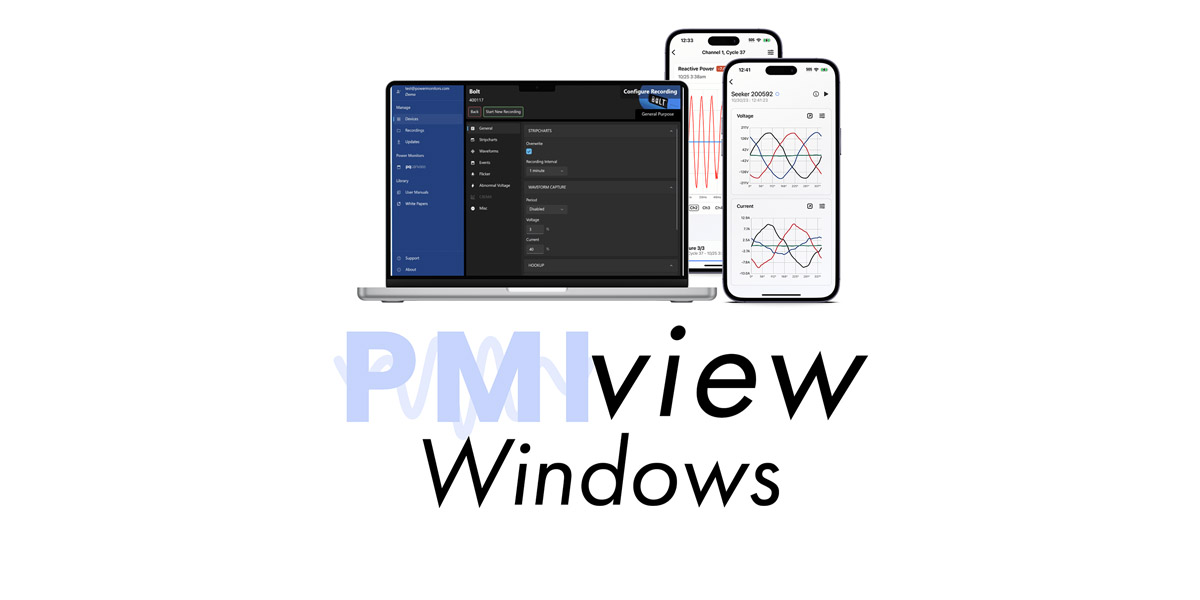
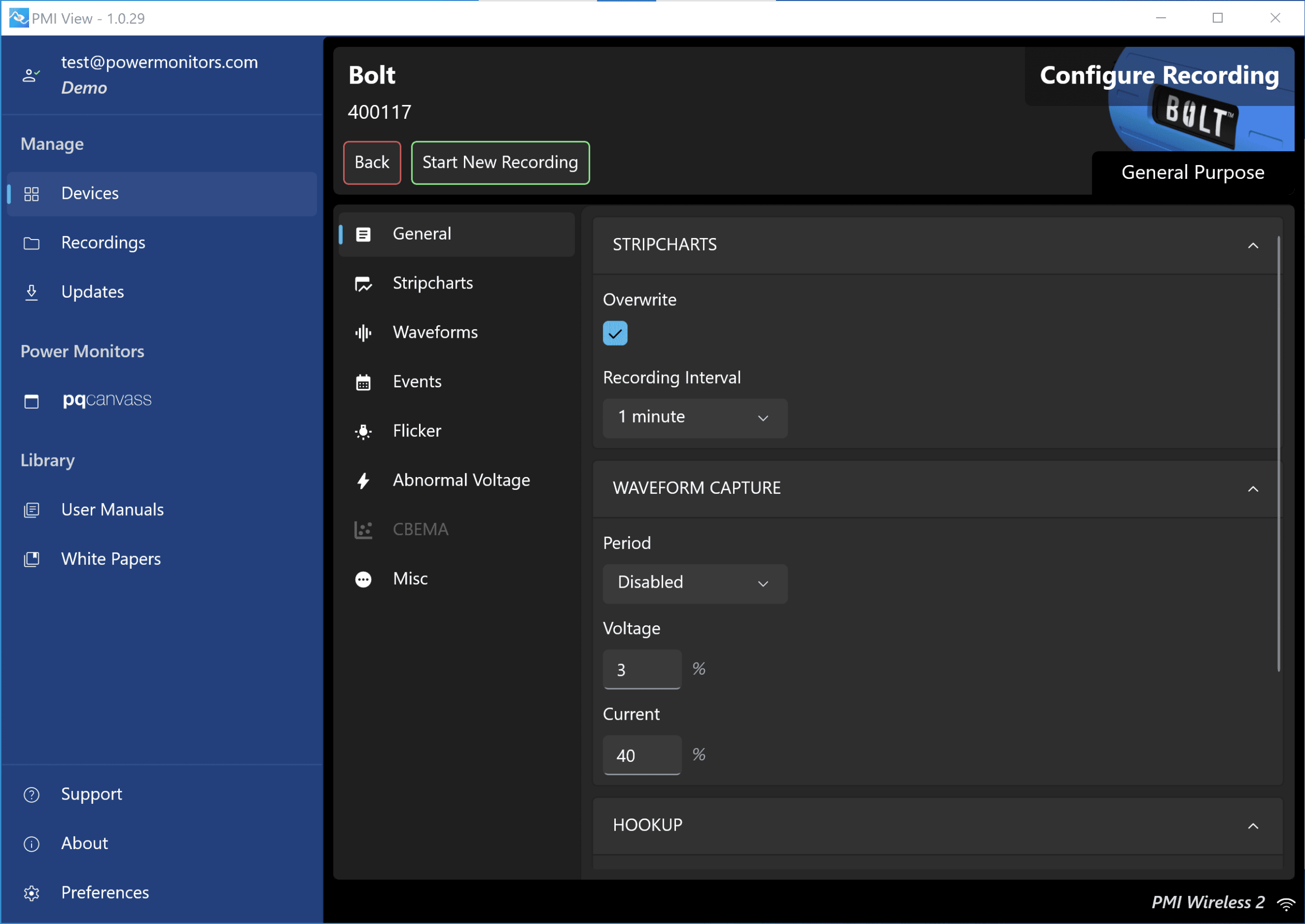
PMI View for Windows is a field-focused recorder management application designed to simplify communication with PMI power quality recorders. Built for utility engineers, technicians, and power quality professionals, the software provides a centralized interface for configuring devices, initializing recording sessions, verifying recorder hookups, updating firmware, and transferring recorded data to PQ Canvass for analysis.

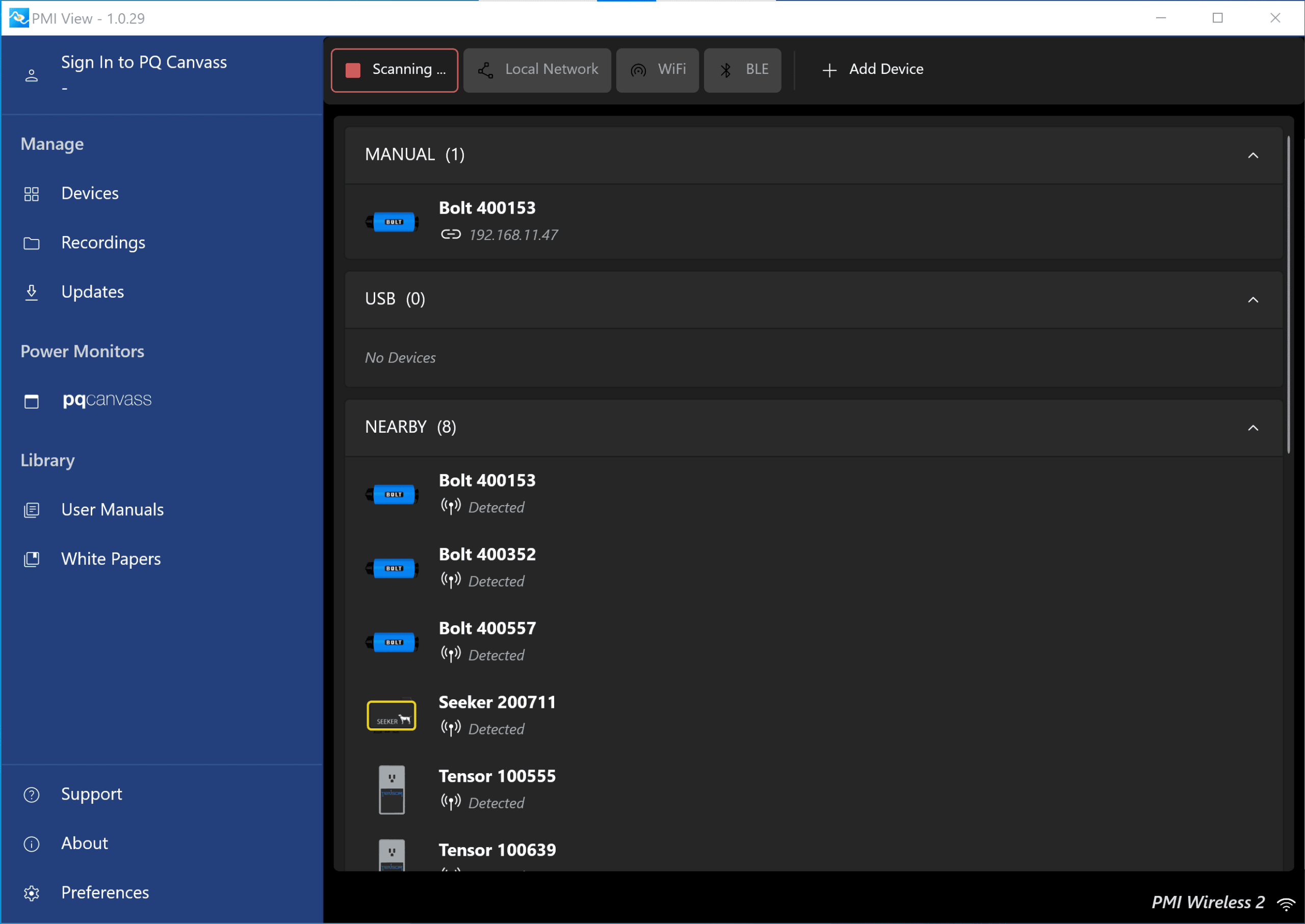
Supporting WiFi, Bluetooth, USB, and LTE communications, PMI View for Windows allows users to connect to compatible PMI monitoring equipment using the communication method best suited to the application. The software streamlines recorder deployment by helping users verify proper installation, manage device settings, and retrieve recordings without unnecessary complexity.

PMI View is designed to work alongside PQ Canvass, PMI’s cloud-based analysis platform. While detailed data analysis is performed within PQ Canvass, PMI View provides the essential tools needed to prepare recorders for deployment, collect field data, and transfer recordings efficiently. A PQ Canvass account is required for login and device synchronization, helping users maintain consistent access to configured monitoring equipment across their organization.

PMI View for Windows is available at no-charge for download from the Microsoft App Store using the DOWNLOAD button below or via download directly from the PMI Website.

Download


Get Started Guide


Have a PQ Question? Ask Merlin™ — Free

Send it to askmerlin@powermonitors.com or text (540) 383-3144

  • Features and Benefits
  • White Papers
  • Downloads
  • FAQ

Features and Benefits

PMI View for Windows is designed to simplify the management and deployment of PMI power quality recorders by providing a dedicated software platform for recorder setup, communications, and data transfer. The application enables users to initialize new recording sessions, verify recorder hookups, update firmware, and retrieve recordings from compatible devices through a single interface.

Supporting WiFi, Bluetooth, USB, and LTE communications, PMI View provides flexibility for a wide variety of field and office workflows. Utilities and engineering teams can connect to recorders using the most practical communication method for the application, helping streamline device deployment and maintenance activities.

The software focuses on recorder management rather than data analysis. Once recordings have been collected, users can transfer data directly to PQ Canvass for advanced analysis, reporting, and long-term data management. This separation allows PMI View to remain streamlined and efficient while leveraging the full analytical capabilities of the PQ Canvass platform.

PMI View also helps improve operational efficiency by reducing the complexity associated with recorder configuration and data collection. Technicians can quickly verify installations, manage device settings, and ensure recordings are properly captured before leaving a site. By simplifying recorder management and supporting seamless integration with PQ Canvass, PMI View for Windows helps utilities deploy monitoring equipment more efficiently, reduce setup time, and improve overall workflow productivity.


White Papers

Windows PMI View Introduction


Click Here for Product-Related White Papers

Downloads

PMI View and Cybersecurity


FAQ

Is PMI View for Windows free? +

Yes. It’s a free download from the Microsoft Store.

Do I need a PQ Canvass account to use PMI View? +

Yes. A PQ Canvass account is required for login and device synchronization, helping you maintain consistent access to configured monitoring equipment across your organization.

What communication methods does PMI View for Windows support? +

It supports WiFi, Bluetooth, USB, and LTE communications, so you can connect using the method best suited to your application.

Does PMI View for Windows perform data analysis? +

No. PMI View focuses on recorder setup, communication, and data transfer. Once recordings are collected, data is transferred to PQ Canvass for advanced analysis, reporting, and long-term storage.

Have a power quality question about your recorder? +

Email Merlin™ at askmerlin@powermonitors.com or text (540) 383-3144. Merlin™ is PMI’s AI assistant, trained on 425+ technical white papers.

You may also like…

  • PQ Canvass logo treatment

    PQ Canvass Data Analysis Software

    view more

Have a PQ question? Ask Merlin™ — free. Send it to askmerlin@powermonitors.com or text (540) 383-3144.

Power Monitors, Inc. — Tools you Need. People you Trust.

Power Monitors, Inc. is an industry-leading product design and manufacturing firm based in Mt. Crawford, Virginia. PMI® strives to solve power quality problems by listening to our customers and working with them to design and manufacture products. Total customer satisfaction is the primary goal of all PMI® staff.

24/7 Tech Support 800.296.4120

Resources

  • White Papers
  • Videos
  • Training
  • Live Webinars
  • PQ Resources
  • Support

Company

  • About Us
  • Contact
  • Careers
  • Newsletter
  • Product Registration
  • Terms & Conditions
800 N Main St, Mt Crawford, VA 22841 | Toll Free 800.296.4120 | Fax 540.432.9430
© 2026 Power Monitors, Inc.