
Abstract
The time and cost of deploying PQ instrumentation only to return later in order to retrieve it (without the guarantee that the PQ anomaly has occurred) is often times exorbitant. In some instances, the deployment isn’t as costly (i.e. connecting to an electric motor to capture the harmonic distortions caused by the motor startup), but the paradigm of recording and waiting doesn’t fit either. In both of these cases the ability to remotely and concurrently view the PQ measurements as they are being made can be vital in both an economic sense and in the sense of practicality. For on-site situations, a wireless connection can greatly decrease shock and arc flash hazards while ensuring that the PQ analyzer is connected and recording as desired.
Wireless Options
PMI’s Power Quality analyzers (Figure 1) come with a host of wireless options: cellular, Bluetooth, and WiFi. Various products cover the full range of wireless options. See Figure 2 for a table of PMI PQ devices and their corresponding wireless capabilities.
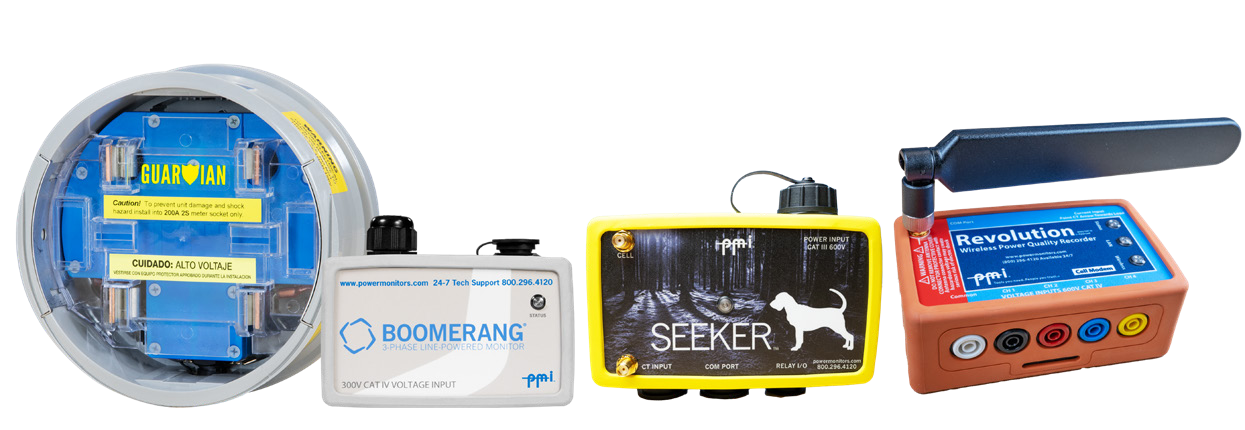
It is also important to keep in mind the fact that different wireless options have different modes of interactions and – therefore – different features and use cases. For instance, interacting with a device with a Bluetooth connection would be significantly different than using the live waveform interface over a cellular connection.
| Product | WiFi | Cell Modem | Bluetooth |
|---|---|---|---|
| Cell Guardian | X | X | |
| Revolution | X | X | |
| Seeker | X | X | X |
| Boomerang | X |
Software Options
Depending on the method of interaction, different software applications may be necessary (and even then, some may be designed for specific hardware platforms). As an example, if a user wishes to connect directly to a Guardian with WiFi, the software and hardware options are: a laptop with WiFi connectivity and ProVision installed or an iPad with WiFi connectivity and the iPowerPad application. Figure 3 shows the different PMI software applications and what wireless communication methods they support. Similarly, Bluetooth works with a laptop (either through a built-in Bluetooth radio, or a USB-Bluetooth adapter).
| Product | WiFi | Cell Modem | Bluetooth |
|---|---|---|---|
| PQ Canvass | X | X | |
| iPad Power | X | X | |
| ProVision | X | X | X |
ProVision allows for local download and real-time viewing with a connected laptop with Bluetooth or WiFi, and from the office with a cell connection. ProVision requires a full recorder download before any data may be viewed. PQ Canvass runs completely in a web browser, and displays all PQ data as it is detected by the recorder, eliminating the need for a lengthy download. Email/SMS alerts from PQ Canvass provide immediate notification of PQ events.
Cellular
Three PMI devices come equipped with the Cellular modem option: the Revolution, the Cell Guardian and the Boomerang. Interaction with each of these three devices is somewhat distinct.
The Revolution
The Revolution has two cellular “modes” – “ProVision mode” and “Canvass Mode.” These modes are not mutually exclusive (meaning that a Revolution configured for “Canvass Mode” can also be communicated with via the “ProVision mode” protocols at the same time). When a Revolution is in “Canvass Mode” it is consistently measuring and sending in voltage, current, real, reactive and apparent power readings to the Canvass storage system on a continuous basis. This data is always available from any connection with a modern, desktop browser with Canvass. “Canvass Mode” (shown in Figure 4) – while very feature rich (stripcharts, histograms and daily profiles are all part of the graphing package that comes with Canvass), is geared towards Boomerang-style applications such as voltage regulation, load profiling, etc.
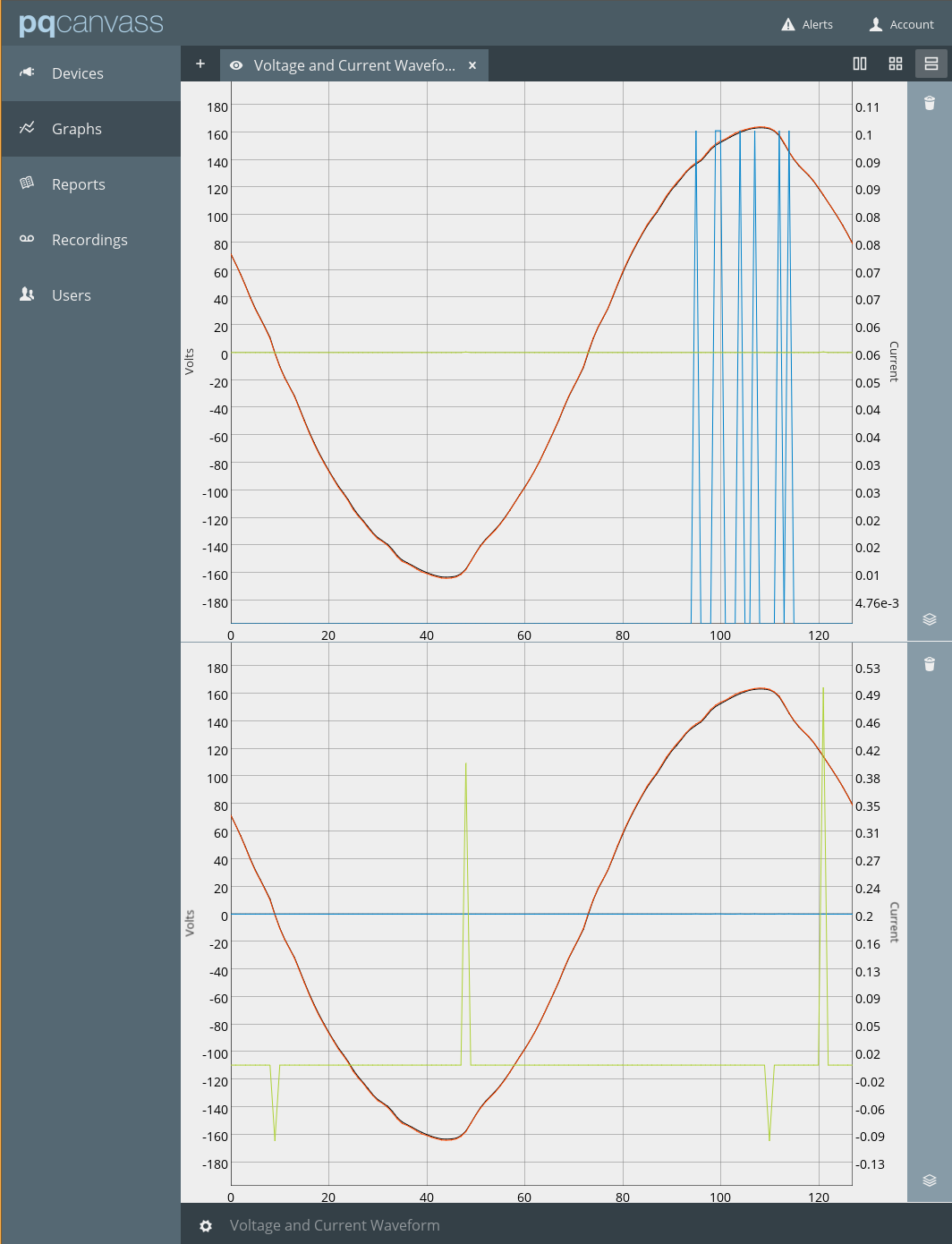
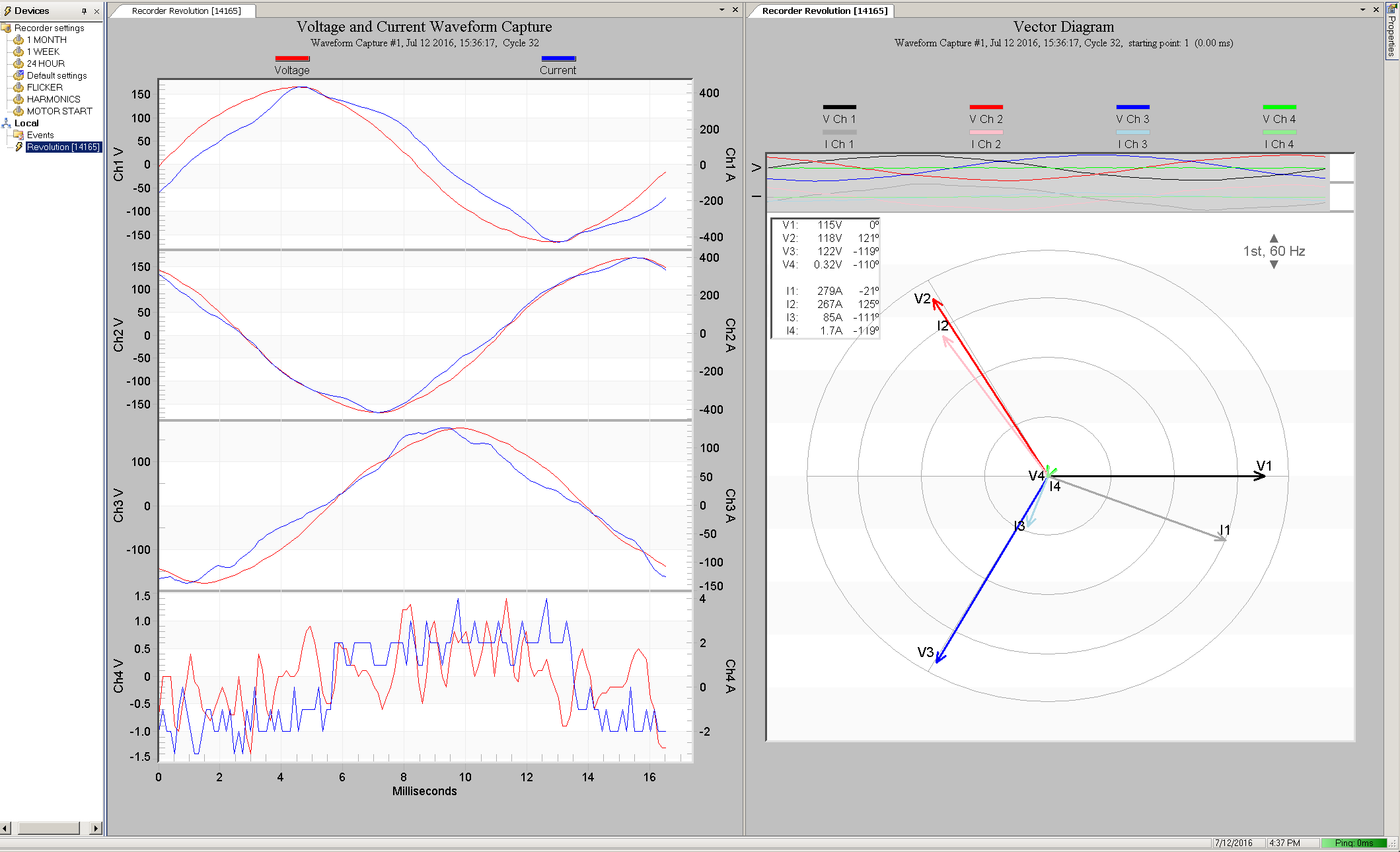
The “ProVision mode” available with the Revolution (Figure 5) allows a user to connect directly to the device over the cellular modem using TCP/IP. In turn, a user may select to use ProVision or even iPower (PMI’s latest iPad application) for communication. The Cell Guardian also supports “ProVision Mode”, in addition to streaming the PQ data directly to PQ Canvass.
Bluetooth
In addition to Cellular and WiFi, PMI also utilizes Bluetooth communication in some of their offerings. The PQ analyzers that can optionally come equipped with a Bluetooth radio are the Seeker, Revolution and Cell Guardian.
Since the Bluetooth protocol requires a relatively close proximity for communication (and it does not support TCP/IP directly) the only means for communicating with these devices is with a laptop PC with a Bluetooth radio. Many modern laptops come with integrated Bluetooth radios – for those using older laptops (or for those using newer laptops that do not have an integrated radio), a USB Bluetooth radio is available (which also extends the useful radio range).
The user must begin by pairing the device with the Windows operating system. This procedure will vary from version to version (XP, Vista, Windows 7, Windows 8 and Windows 10) – please see this whitepaper for more information on those details.
Once the device has been paired it is safe to start ProVision. ProVision should automatically detect the paired device and display it in the device tree. From here, the user can right-click on the device and select a series of options to include live waveform and meter displays and recorder download.
WiFi
Presently, only one PMI PQ analyzer offers WiFi as a communication option: the WiFi Guardian. As with Bluetooth, WiFi support is only provided as part of either ProVision or iPad.
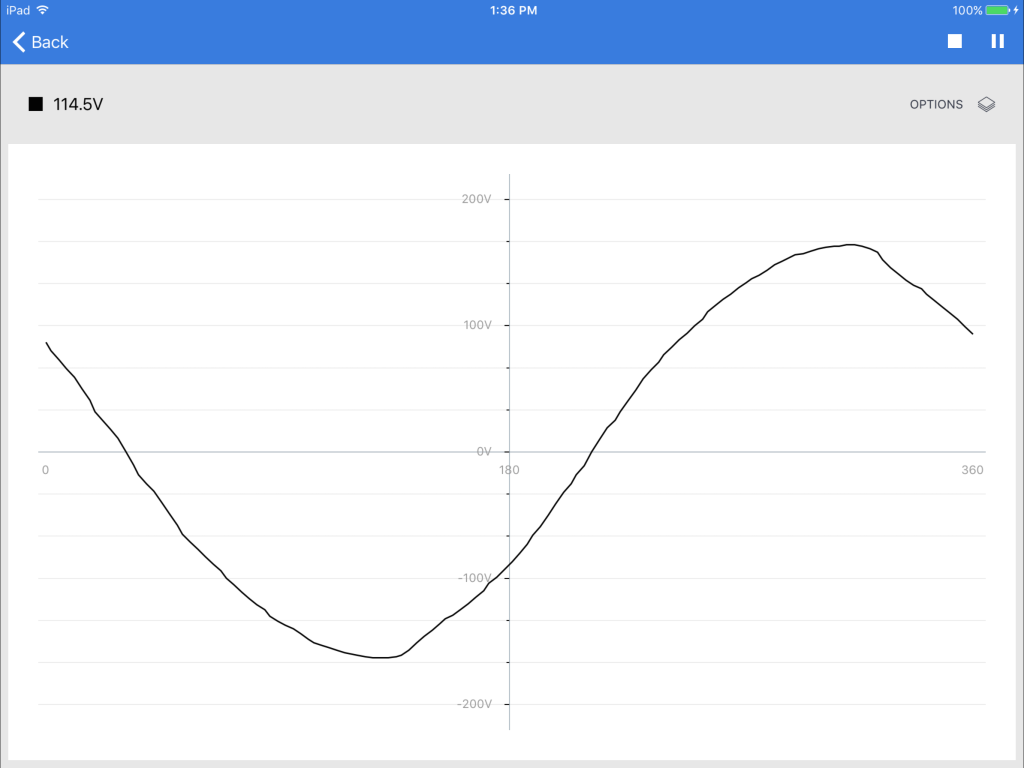
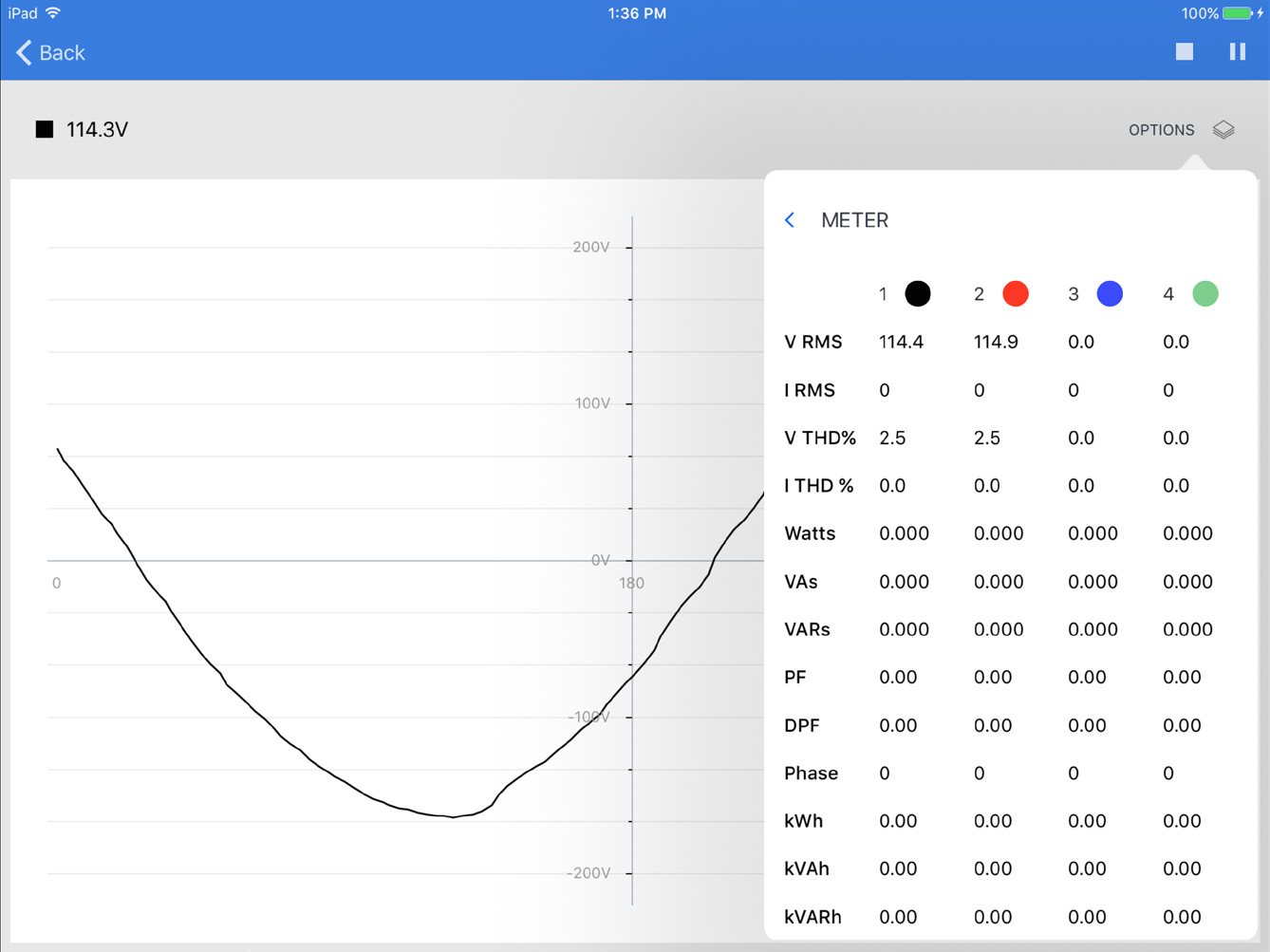
WiFi on the Guardian normally works in “host mode” – that is, the Guardian itself becomes the WiFi hotspot that can accept a connection from a local utility laptop or iPad. Once connected, real-time waveforms and data may be viewed, data downloaded, recorder initialized, etc. from either ProVision or iPowerPad, as shown in Figure 6. The Guardian can also be configured to join another WiFi network, allowing it to reach PQ Canvass, or with the proper networking, be reachable by ProVision or iPowerPad remotely.
Conclusion
PMI offers a wide range of hardware and software products to facilitate in-the-field, real-time power quality analysis. This whitepaper has discussed the varying wireless options and their corresponding software components and configurations. Using a wireless connection can save trips out into the field, and while in the field, significantly reduce the risks from shock hazards and arc flash.