
Abstract
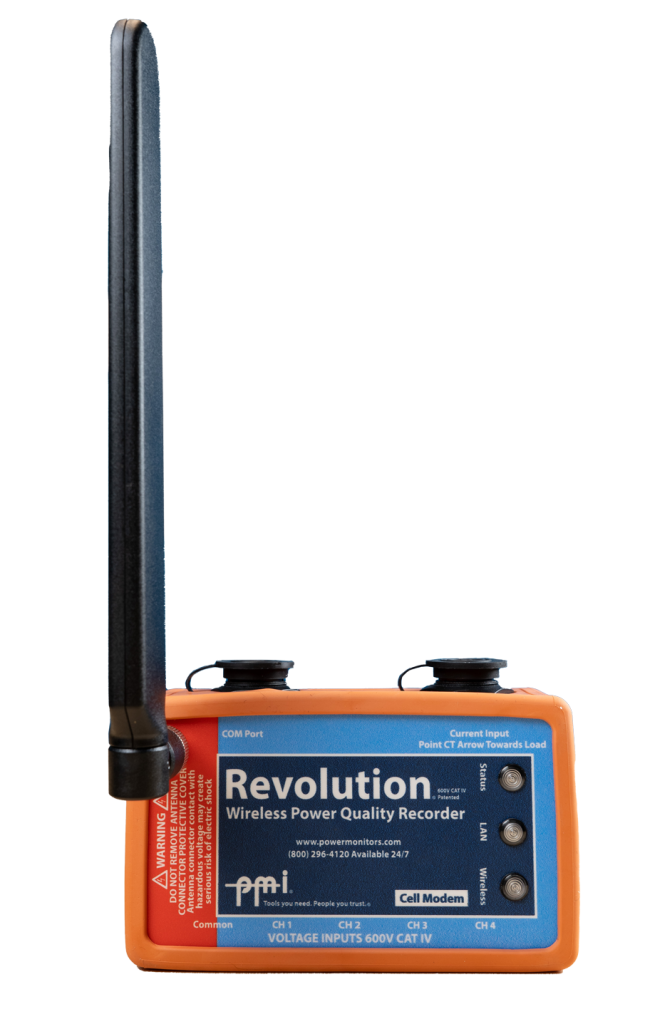
The PMI Cell Modem Revolution® has an amazing array of communication options and configurations– from USB to Ethernet to TCP/IP via cellular modem. This white paper focuses on the different cell modem communication options that are available and discusses some of the pros and cons for each of these configurations.
Cellular Modem Configuration Options
Dynamic IP Addresses on the Public Verizon Wireless Network
The simplest and most common configuration option with the Cell Modem Revolution is to register the device on the public Verizon Wireless network using dynamic IP addresses. With this configuration, devices are dynamically assigned IP addresses as they connect to the Verizon Wireless network as they come online.
Since the IP addresses of these devices may change, and it is difficult to know when or even if an IP address for a device will change, PMI has created a special server that facilitates device lookup. This server is the IP address resolution server and a brief overview of how it works follows:
When a user wishes to connect to a cell modem revolution that has been configured to use a dynamic IP address on the Verizon public network, they must undergo a quick lookup process. This process begins with the ProVision software initiating a TCP connection to the PMI IP Address Resolution Server. Once established, ProVision sends the serial number of the device to be queried to the server. The server will then send a UDP discovery packet to the last known IP address of the device and await a response. If an acknowledgment is received from the Revolution, then that IP address is returned to ProVision, which then disconnects from the server and connects directly to the reported Revolution IP address over TCP/IP.
If, on the other hand, no UDP acknowledgment is sent from the Revolution, then the PMI IP Address Resolution Server sends an SMS message to the device requesting it to “wake up”, “dial home” and send in its IP Address. Once this happens, the ProVision connection (which will have been sitting in an idle state waiting for the server’s response) will be given the IP address of the Revolution as soon as it reconnects and reports back to the server.
For more information on (and a more detailed description of) the IP Address Resolution Server, please visit the PMI website to download the white paper entitled IP Address Resolution Server.
An advantage of using the Verizon public network is that the user’s Revolution can be contacted from any device that has both ProVision and an active internet connection. This allows for flexibility when the end user is going to be traveling or has to go on-site to troubleshoot an issue. (Again, an internet connection is still required– often times this is covered by the user carrying a laptop and a wireless cell modem).
Static IP Addresses on the Public Verizon Wireless Network
The next-most-common configuration option with the Cell Modem Revolution is to register the device on the public Verizon Wireless network using static IP addresses. With this configuration, devices are procured with an IP address that is static– it doesn’t change. While this option does cost more than the dynamic IP address option, it also provides for some more conveniences.
Since the IP address does not change, there is no need for the device to interact with the IP Address Resolution Server (though, if the user desires, it can still use the server as an intermediary IP address lookup server). Instead, since the IP address is allocated when the device is activated, the user will already know it and can configure the device to connect directly through a TCP/IP or Ethernet connection in ProVision. Initializing connections with devices that have been registered using static IP addresses is often times quicker, since it is bypassing the IP Address Resolution Server.
Revolutions configured to use a static IP address on the Verizon public network share the same public network benefits as those devices that have been configured to use dynamic IP addresses (see above for more information).
Procuring Space on the Verizon Virtual Private Network
A third option when configuring cell modem revolutions is to use Verizon’s Virtual Private Network (VPN) setup. This configuration allows for both dynamic and static IP address allocation, but differs significantly from the Verizon public network offering. Unlike the Verizon public network where all devices are accessible from anywhere there is an internet connection, the Verizon VPN only allows communication with machines from within a trusted endpoint, such as a utility’s local area network (LAN).
Using a Verizon VPN carries with it some burdens. The users are tethered to being inside a specific network originating from a trusted end point; network configuration from the LAN is extremely complicated; and the cost of buying space on Verizon’s network is high.
There are, however, several advantages as well. The private network is shared with far fewer users; no users outside of the VPN can even see (much less access) Revolutions deployed to a VPN; and using a VPN removes any need for ProVision to contact the PMI IP Address Resolution server (since our server does not have access to each user’s Virtual Private Network).
Pros and Cons
Table 1 below covers each communication configuration and some of the pros and cons to each. This table can be used as a quick overview of what has been mentioned in this paper.
| Configuration | Pros | Cons |
|---|---|---|
| Dynamic IP Addresses on the Public Verizon Wireless Network |
|
|
| Static IP Addresses on the Public Verizon Wireless Network |
|
|
| Verizon Virtual Private Network (VPN) |
|
|
Conclusion
Deciding on which cell modem configuration options to use with a cell modem Revolution is not something that should be done without due consideration. Armed with some of the pros and cons and some of the more detailed aspects of Revolution communication setup, the end-user should now have a solid foundation on which to base their cell modem Revolution configuration decisions.
References
- TCP, the Transmission Control Protocol: http://en.wikipedia.org/wiki/tcp_protocol
- IP, the Internet Protocol: http://en.wikipedia.org/wiki/internet_protocol
- IP Address, Internet Protocol Address: http://en.wikipedia.org/wiki/internet_protocol_address