Abstract
Merlin™ Chat is a conversational AI interface within PQ Canvass that allows engineers to ask natural-language questions about a power quality recording and receive detailed, technically grounded answers. Built on top of the Merlin™ analysis engine, Merlin™ Chat provides an interactive complement to the structured AI Dashboard — letting engineers move beyond fixed reports into open-ended investigation, what-if analysis, and engineering calculations, all informed by the full details of the PQ recording, IEEE standards, and PMI’s power quality experience.
This paper describes Merlin™ Chat, what it can do, and how it fits into the power quality workflow that engineers already use in PQ Canvass.
The Question the Dashboard Cannot Answer
With Merlin™, the AI Dashboard reviews an entire recording and presents a severity-ranked summary of findings across sags, swells, flicker, harmonics, compliance, and more. An engineer can open a complex recording and see the dominant issues without manually scrolling through the data first.
But structured reports, no matter how well organized, have a limitation: they answer the questions that were anticipated in advance. In practice, the most important questions in a PQ investigation are the ones that arise after the initial review. An engineer scans the dashboard, sees that flicker is borderline non-compliant, and immediately wants to know: Is this customer-caused or utility-caused? If we upsize the transformer, could that fix it? What does the impedance math look like?
These questions require combining recorded data with standards knowledge, engineering calculations, and operational judgment — and they rarely fit neatly into a pre-structured report. Before Merlin™ Chat, answering them still required the traditional manual process: pulling up the stripchart, looking up the standard, estimating impedance by hand, and reasoning through the scenario.
Merlin™ Chat addresses this gap. Because it has access to the complete Merlin™ analysis for the recording, it can field these kinds of questions directly — drawing on the same data, standards evaluations, and severity assessments that the Dashboard presents, but in a conversational format.
Where Merlin™ Chat Lives in PQ Canvass
Merlin™ Chat is accessed from within a recording as a Chat tab in the navigation bar, alongside the existing Overview, Recording, and Info views. It becomes available after a Merlin™ analysis has been completed on the recording — Merlin™ will always reference the most recent analyses performed for that recording.
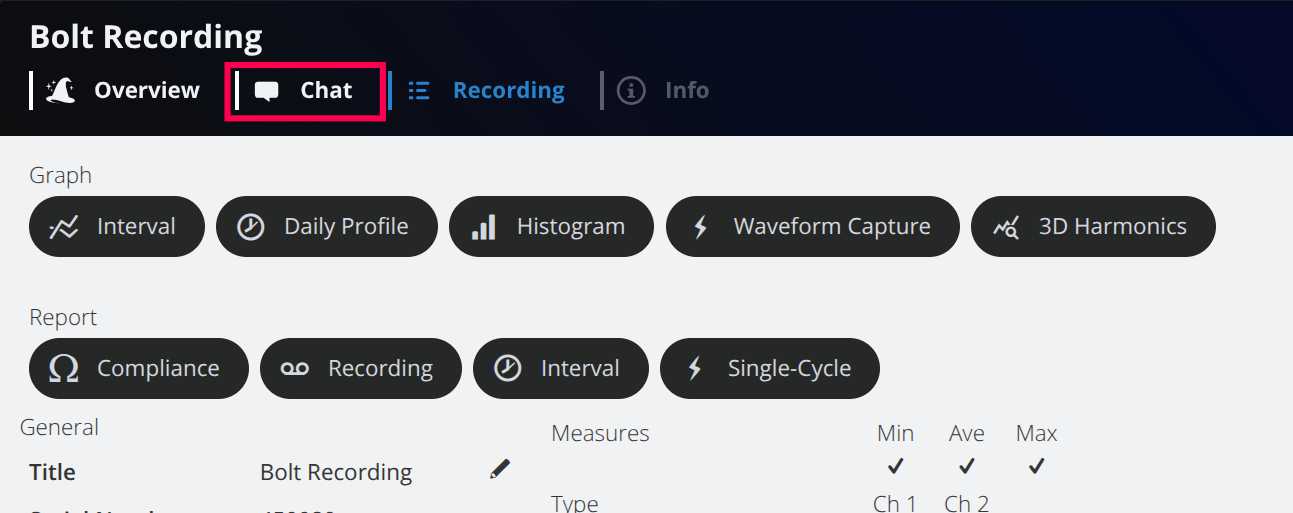
Each recording maintains its own set of chat conversations. Conversations persist across sessions; an engineer can return days or weeks later to continue a discussion or review what was previously explored.
The Interface
When an engineer opens the Chat tab, the screen is divided into a sidebar on the left — listing previous conversations, a search icon for filtering by title, and a help overlay describing the interface — and a main content area on the right with the prompt “What are we solving?” and a text input (Figure 2).
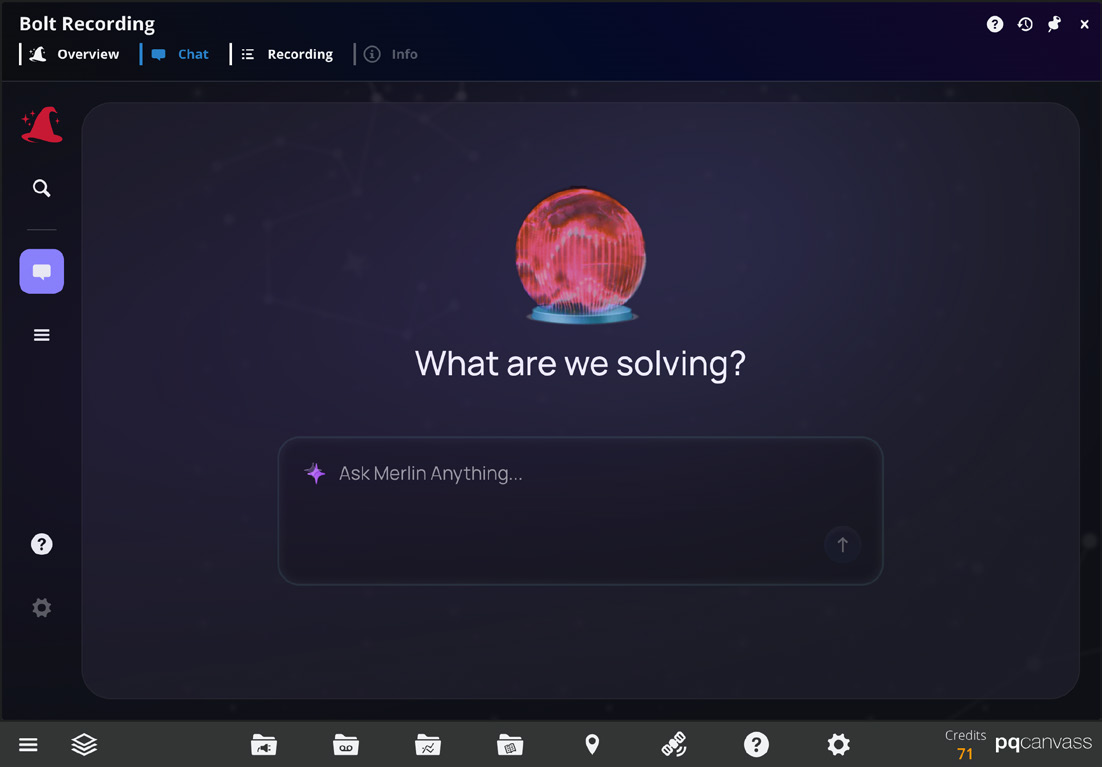
Once a question is submitted, the interface transitions to a conversation view. User messages appear on the right; Merlin™ responses appear on the left, rendered as rich formatted text with support for headings, lists, bold and italic emphasis, and LaTeX mathematical notation — a necessity for the engineering calculations Merlin™ is capable of producing.
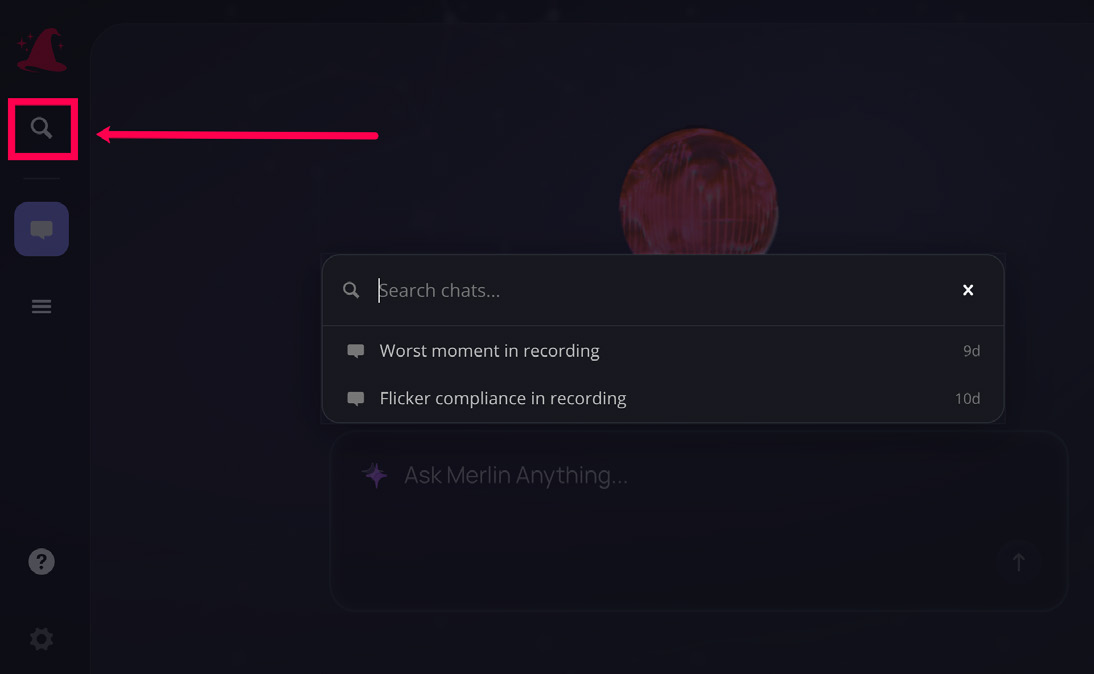
A sidebar on the left displays conversation history, grouped by recency (Today, Yesterday, Last 7 Days, and so on). Engineers can rename conversations, delete them, export a full transcript as a text file, or search across all conversations for a recording (Figure 3). The sidebar can be collapsed to maximize the conversation area when working on a smaller screen (Figure 4).
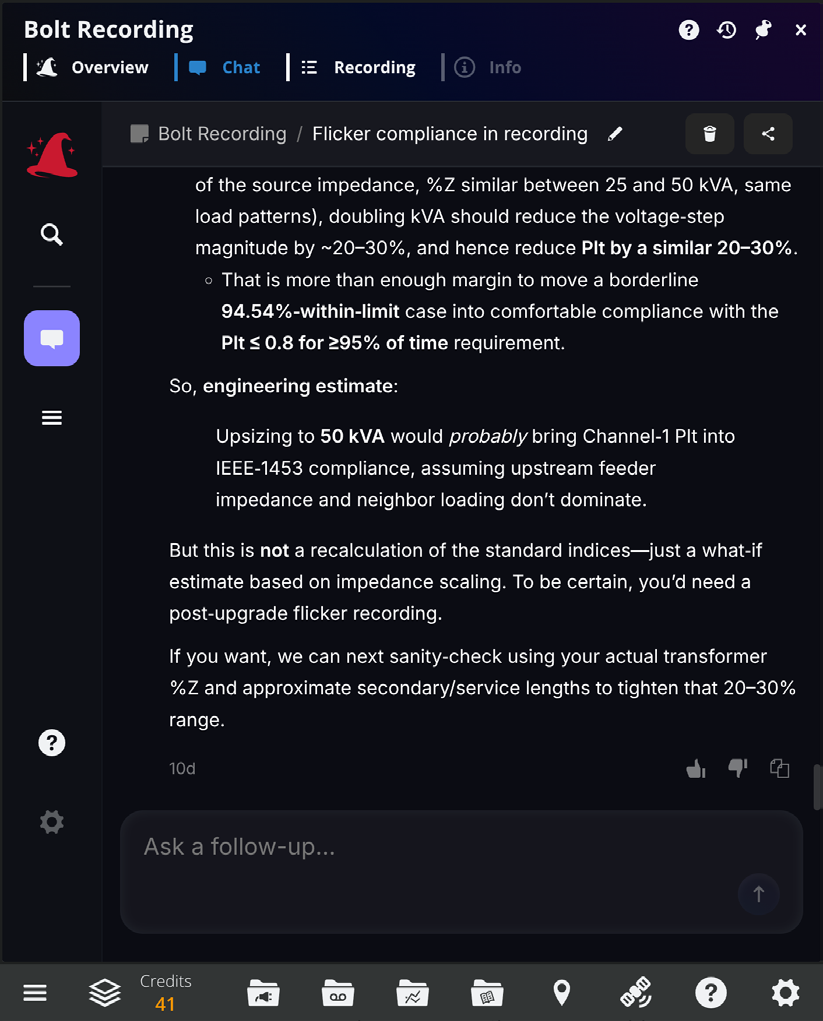
Each Merlin™ response includes thumbs-up and thumbs-down feedback buttons, along with a copy-to-clipboard option. Feedback is collected per response and used to continuously improve answer quality.
What Merlin™ Chat Can Do
The following examples are drawn from real conversations with Merlin™ during a power quality investigation of a residential service on a shared 25 kVA transformer.
Recording Triage
A natural starting point for any investigation: “What’s the worst thing in this recording?”
This is a deceptively difficult question. Answering it requires synthesizing severity scores, compliance status, and practical impact across every PQ phenomenon in the dataset. Merlin™ Chat responded by identifying borderline IEEE 1453 long-term flicker noncompliance on Channel 1 as the dominant issue, explained the physical mechanism (duty-cycled heavy loading causing 70–118 A current pulses and 3–5% rapid voltage dips), quantified the compliance margin (Plt exceeding the 0.8 limit for 5.46% of evaluated time versus the required 5%), and contextualized the finding relative to other PQ issues in the recording — all of which were less severe.
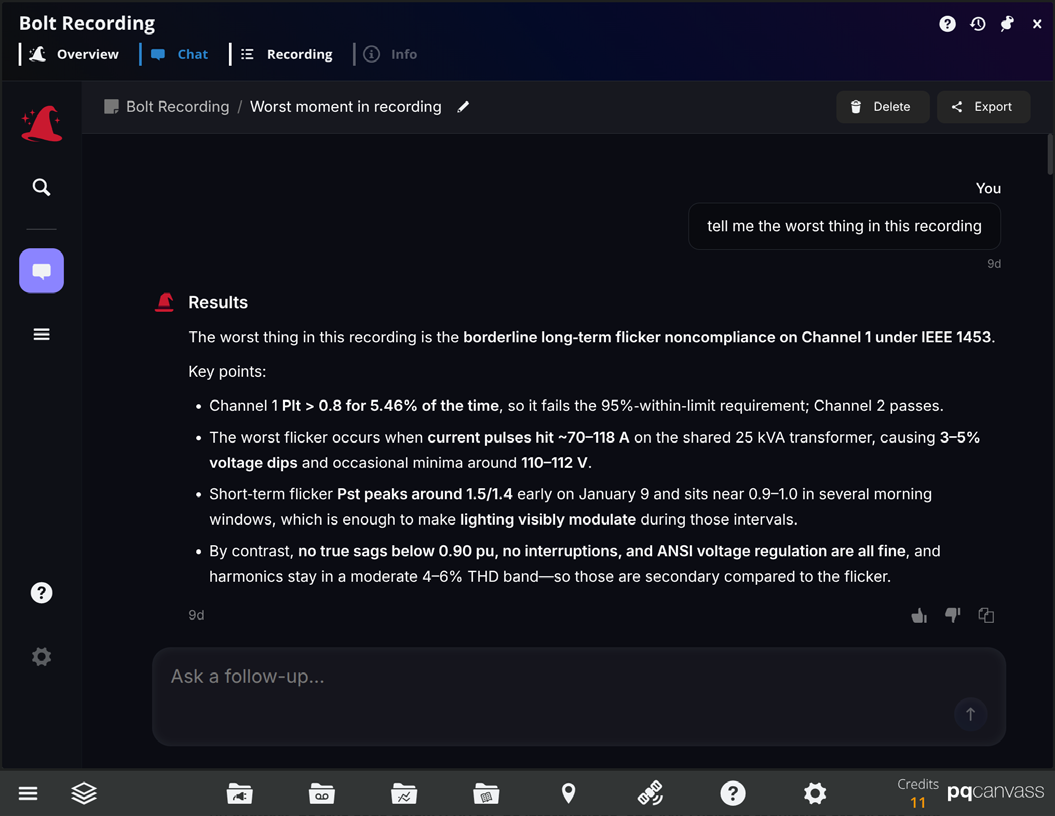
In a single response, Merlin™ delivered a prioritized summary that would typically require an engineer to review the full dashboard, cross-reference compliance results, and mentally rank the findings.
Standards Compliance Assessment
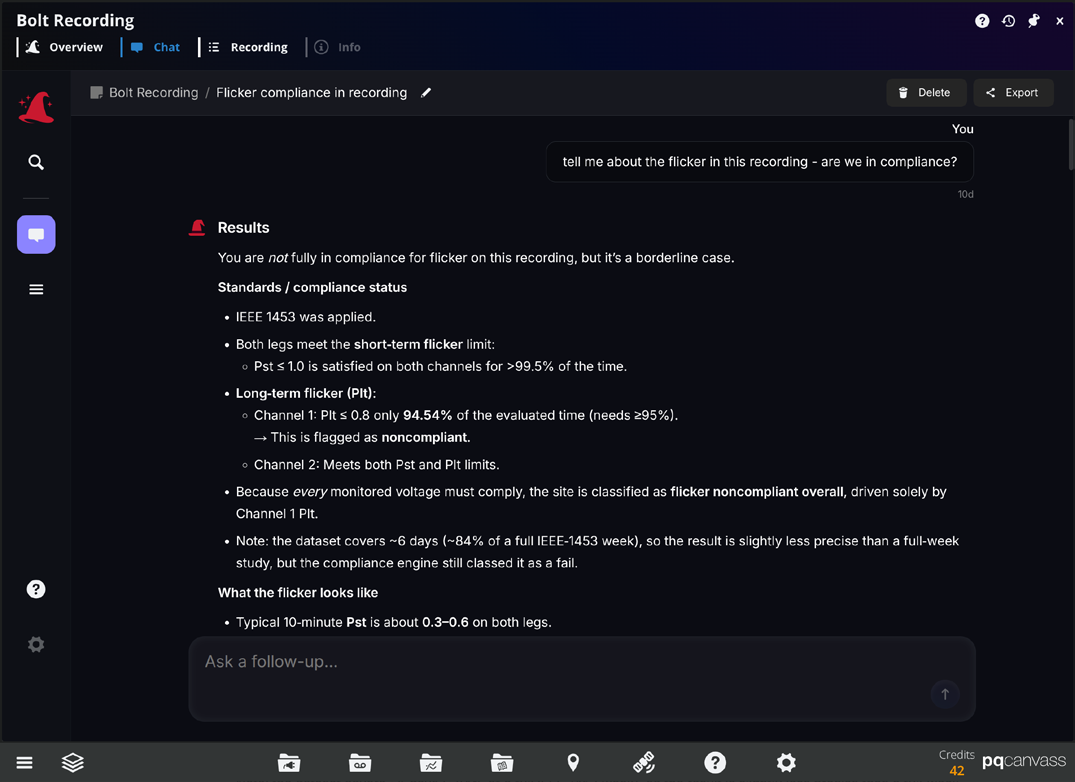
When asked directly about flicker compliance, Merlin™ Chat provided a structured breakdown: short-term flicker (Pst) passes on both channels with margin, long-term flicker (Plt) fails on Channel 1 by a narrow margin, the physical behavior driving the failure consists of repeated current pulses causing rapid voltage dips on a shared transformer, and the condition is customer-leaning in attribution. Merlin™ also distinguished between the practical impact — visible lamp flicker during the worst operating windows — and equipment damage risk, which was negligible.
This kind of answer requires familiarity with IEEE 1453 evaluation methodology, the distinction between Pst and Plt, and the ability to translate numeric compliance results into engineering context.
Engineering Calculations and What-If Analysis
Merlin™ can also perform back-of-the-envelope engineering estimates grounded in the actual recorded data. When asked whether upsizing from 25 kVA to 50 kVA would bring the site into flicker compliance, Merlin™ Chat walked through the full reasoning:
- Estimated the effective source impedance from recorded voltage drop and current data (~0.085 ohms).
- Separated the transformer contribution from feeder and service impedance using typical %Z ranges for a 25 kVA unit.
- Modeled the effect of doubling kVA on ohmic impedance (transformer impedance roughly halves).
- Calculated the expected reduction in voltage dip magnitude (20–30%, depending on the transformer’s share of total impedance).
- Mapped the reduced voltage steps to Pst and Plt scaling using the proportional relationship between flicker severity and voltage-step magnitude.
- Concluded that the upgrade would likely bring Channel 1 into compliance — with the specific caveat that a post-change recording would be needed to confirm.
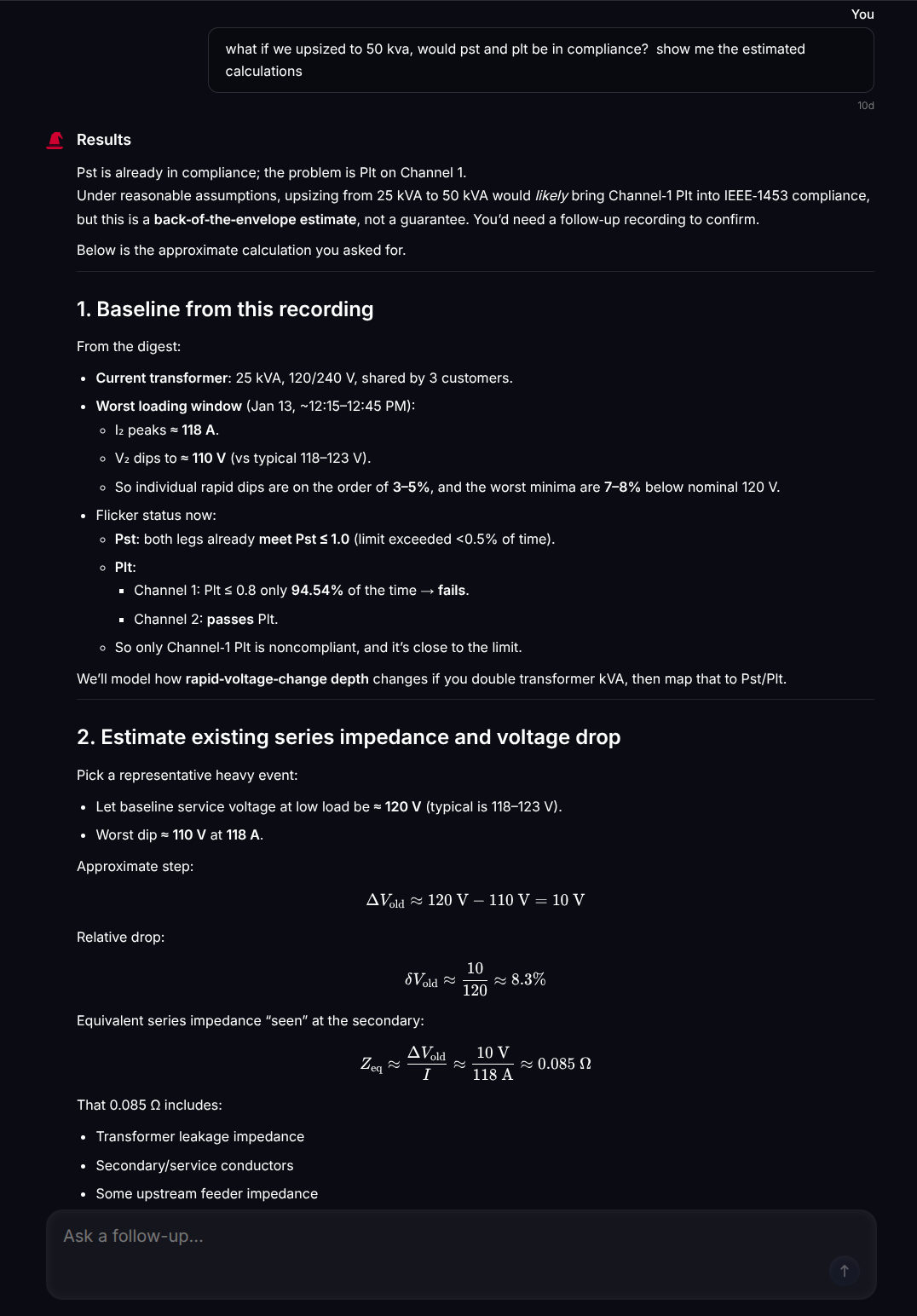
This is work that an experienced PQ engineer might spend an hour performing manually: looking up transformer impedance values, estimating conductor contributions, and working through the flicker scaling math. Merlin™ produced it in under two minutes, fully documented with assumptions and caveats, ready to be reviewed, questioned, or included in a customer communication.
Importantly, the Merlin™ did not simply declare the upgrade would work. It bracketed the estimate (best case, mid case, worst case), identified the assumptions that most affect the result, and recommended a post-change recording to verify.
How It Complements the Dashboard
The Merlin™ AI Dashboard and Merlin™ Chat are designed to work together as complementary views of the same underlying analysis.
The Dashboard is built for comprehensive overview: severity-ranked findings, compliance screening, the PQ Issue Matrix, focus area reports, and direct links into the waveform and stripchart data. It answers the question “what did Merlin™ find?” in a structured, repeatable format.
Merlin™ Chat is built for targeted investigation: deep dives into specific findings, what-if reasoning, engineering calculations, and compliance questions that require synthesis and interpretation rather than presentation.
The typical workflow is straightforward. An engineer opens the Dashboard to get the lay of the land — the top issues, overall compliance status, the most severe waveforms. Then, when a finding warrants deeper exploration, they move to the Chat tab to ask follow-up questions: What caused this? How bad is it really? What would fix it? What should I tell the customer?
Because both views draw from the same Merlin™ analysis, there is no divergence between what the Dashboard presents and what Merlin™ discusses. The conversation is grounded in the same deterministic evidence, the same standards evaluations, and the same severity assessments.
Persistent Knowledge, Exportable Reasoning
Every conversation in Merlin™ Chat is saved and associated with its recording. Engineers can return to a chat days or weeks later to review what was discussed, continue asking questions, or pick up an investigation where it left off.
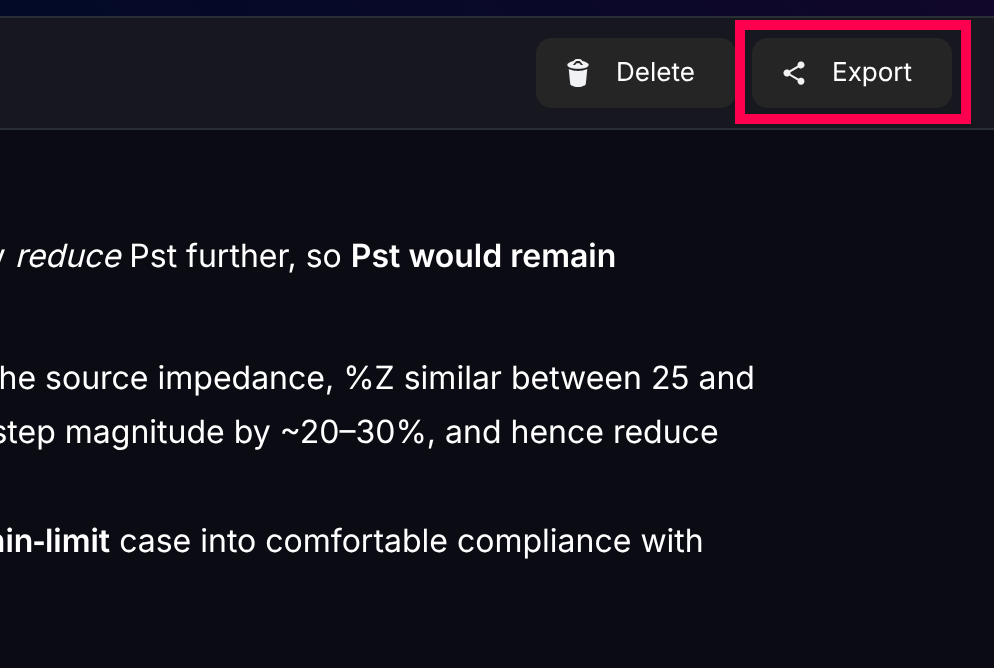
Conversations can also be exported as text transcripts. This is practical for a number of reasons: including Merlin™ analysis in a customer report, sharing reasoning with a colleague, attaching the what-if calculation to an internal work order, or simply preserving the investigative trail for future reference. The reasoning that traditionally lives in an engineer’s head — or gets lost in an email thread — is captured in a structured, retrievable format.
For organizations with junior engineers learning the craft, Merlin™ Chat also serves as a training tool. A less experienced engineer can explore a recording interactively, asking questions and receiving the kind of detailed, standards-aware reasoning that would normally require a senior colleague’s time.
Conclusion
Merlin™ Chat extends the Merlin™ analysis from structured reporting into open-ended investigation. Where the Dashboard provides the overview, Merlin™ handles the follow-up: What is causing this? Is it compliant? What would fix it? Show me the math.
Because every answer is grounded in the recording’s actual data and the completed Merlin™ analysis, responses are specific and auditable. Merlin™ Chat does not invent data or thresholds — it reasons about the deterministic results that Merlin™ has already produced. And because conversations persist and can be exported, the investigative reasoning is preserved alongside the conclusions.
Additional Resources
To see Merlin™ in action scan the QR below or visit www.powermonitors.com/merlin-in-action