• Skip to primary navigation
  • Skip to main content

PMI

  • Home
  • Products
  • Library
    • Videos
      • All
      • Bolt Quality Tests
      • Promotional Videos
      • Support Videos
      • Power Quality Decoded
    • White Papers
      • All
      • Artificial Intelligence
      • Case Studies
      • Communications
        • All Communications
        • Cellular Communications
        • General Communications
      • Distributed Generation
      • IEEE Standards
      • Power Quality
        • All Power Quality
        • Analyzing Waveforms
        • Flicker
        • PQ Data Analysis
        • PQ Theory
      • Products
        • All Products
        • Boomerang
        • Boomerang SCADA
        • Box Recorder
        • Canvass
        • Eagle
        • Flex CT
        • Guardian
        • Merlin™
        • Meter Sockets
        • PQ Canvass
        • ProVision
        • Revolution
        • TLAR
        • Using PMI Recorders
      • Voltage
        • All Voltage
        • CVR
        • Voltage Sag
        • Voltage Unbalance
      • Harmonics
  • Training
    • All
    • PDH Eligible Classes
    • On-Site Training
    • Live Webinars
  • Support
  • Our Company
    • About
    • Contact
    • Join Our Team!
    • Receive our Newsletter
    • PQ Resources
    • Power Quality Solutions
  • Account
  • Cart - 0 items

Downloading ProVision Software and Updates

By Benjamin Bowman · March 21, 2011

← Back to White Papers

Abstract

It is always a good practice to update Provision whenever a new version is released. ProVision allows for the retrieval and analysis of power quality data from the entire line of PMI recording devices. ProVision also allows for modification of device settings. This white paper reviews the steps necessary for downloading ProVision.

Downloading ProVision

Find the most up-to-date versions on the PMI website by following these steps:

  1. Sign in to your account. If you do not have an account, see the second page of this document for instructions on creating an account.
  2. On the PMI homepage, click on the support link located at the top of the page (Figure 1).
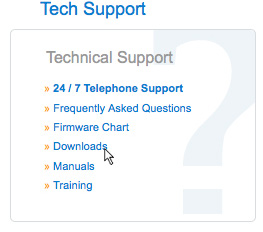
  3. On the support page, click on the downloads link located at the left of the page (Figure 2).
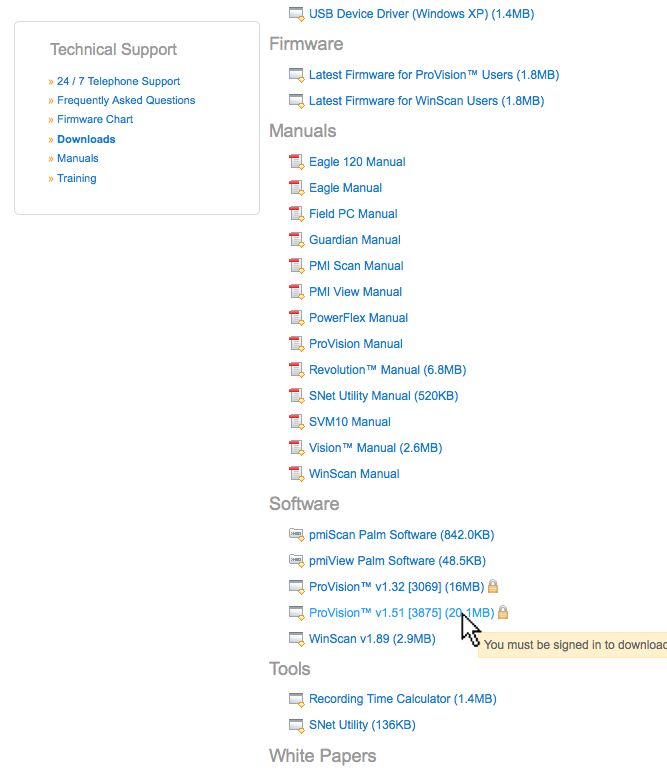
  4. Under the Software heading, click on the link to the latest version of ProVision. The version number is right after “ProVision” and is prepended with a “V”. (Figure 3).
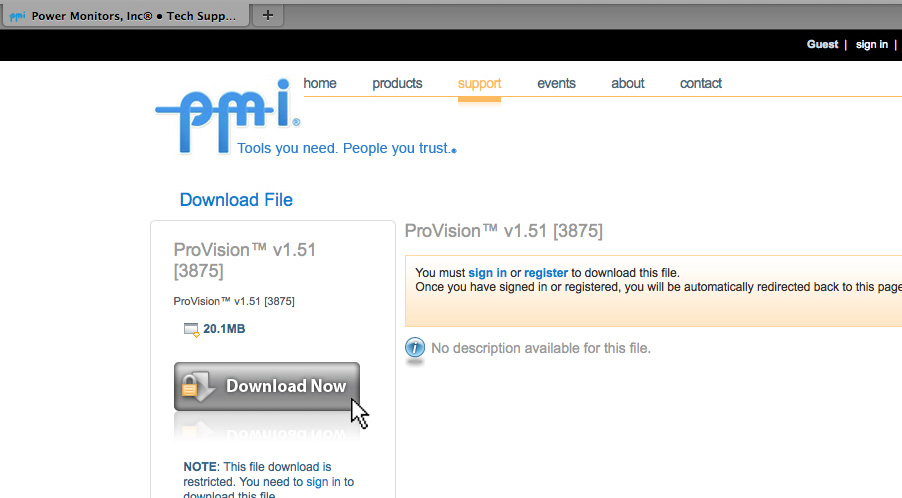
  5. Click on the ‘Download Now’ button on the left hand side of the page (Figure 4).
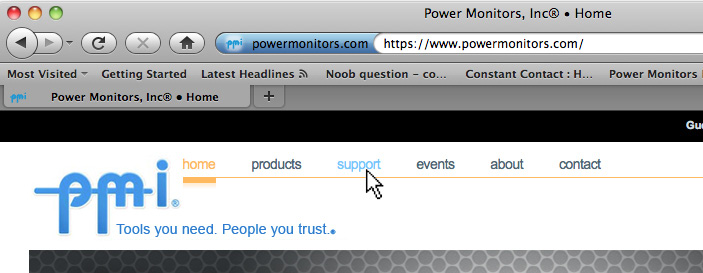
Figure 1. Click the 'support' link at the top of the page.
Figure 1. Click the ‘support’ link at the top of the page.
Figure 2. Click the 'downloads' link.
Figure 2. Click the ‘downloads’ link.
Figure 3. Click on the most recent version of ProVision.
Figure 4. Click 'Download Now'.
Figure 4. Click ‘Download Now’.

Following these simple steps, you can make sure that you get all the benefits of having the newest version of ProVision. Keeping your copy of ProVision up to date is very important, as it is constantly being improved and new features are being added.

How to Register for an Account on the PMI Website

  1. Click on the register link on the upper right of the PMI homepage as shown in Figure 5.
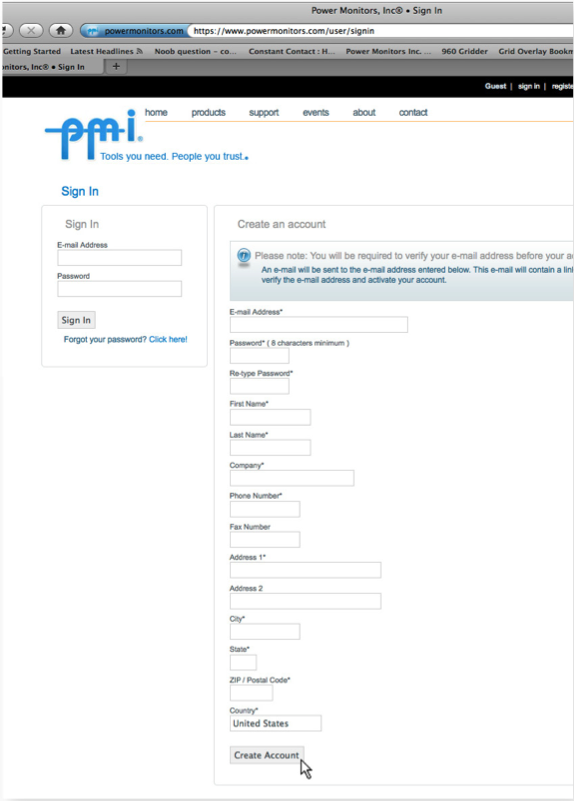
  2. Fill out the ‘Create an account’ form. Required fields are marked with an asterisk (*) as shown in Figure 6.
  3. Click on the ‘Create Account’ button at the bottom of the form as shown in Figure 6. An email will be sent to the e-mail address that is provided on the form, containing a link for account activation.
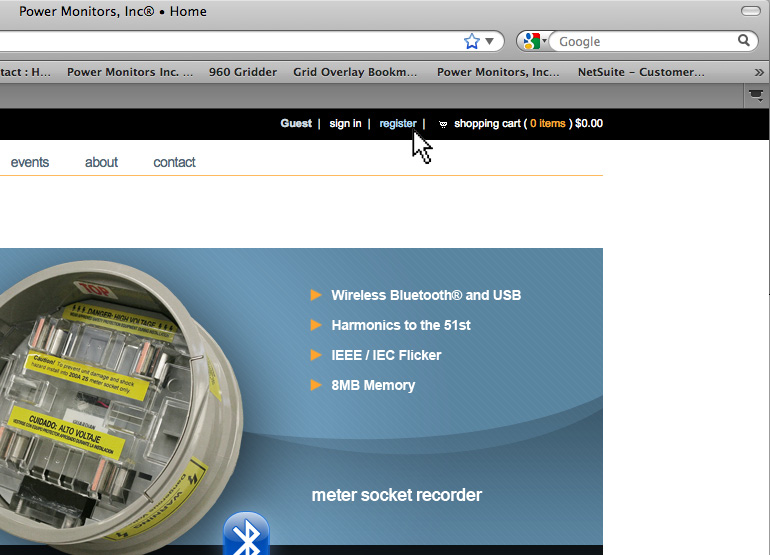
Figure 5. To create an account, click the 'register' link.
Figure 5. To create an account, click the ‘register’ link.
Figure 6. Once the required fields have been filled in, click 'Create Account'.
Figure 6. Once the required fields have been filled in, click ‘Create Account’.

Have a PQ question? Ask Merlin™ — free.

Send it to askmerlin@powermonitors.com or text (540) 383-3144.

Want the PDF version of this white paper?

Have a PQ question? Ask Merlin™ — free. Send it to askmerlin@powermonitors.com or text (540) 383-3144.

Power Monitors, Inc. — Tools you Need. People you Trust.

Power Monitors, Inc. is an industry-leading product design and manufacturing firm based in Mt. Crawford, Virginia. PMI® strives to solve power quality problems by listening to our customers and working with them to design and manufacture products. Total customer satisfaction is the primary goal of all PMI® staff.

24/7 Tech Support 800.296.4120

Resources

  • White Papers
  • Videos
  • Training
  • Live Webinars
  • PQ Resources
  • Support

Company

  • About Us
  • Contact
  • Careers
  • Newsletter
  • Product Registration
  • Terms & Conditions
800 N Main St, Mt Crawford, VA 22841 | Toll Free 800.296.4120 | Fax 540.432.9430
© 2026 Power Monitors, Inc.