
Abstract
The Cell-Modem Revolution contains an embedded cellular modem allowing for network-based communication from any internet connected PC. The purpose of this white paper is to help the user determine the best wireless data plan for their Cell Revolution workload.
Determining the Workload
The amount of data transferred over the wireless network varies greatly based on the type of data being transferred. For instance, will the user be deploying the Revolution and not recording power quality data, but only connecting sporadically to make spot measurements? Does the user plan to make short-term recordings with small stripchart intervals (1 cycle or 1 second)? Perhaps the user will be making many of these short-term recordings with faster intervals, or instead perhaps a single month-long recording with a relatively slow stripchart interval.
Cell Revolution use cases can be broken down into the following four broad categories:
- Real-time measurements with ProVision
- Long term Power Quality Recordings
- High data Power Quality Recordings
- Canvass Portal
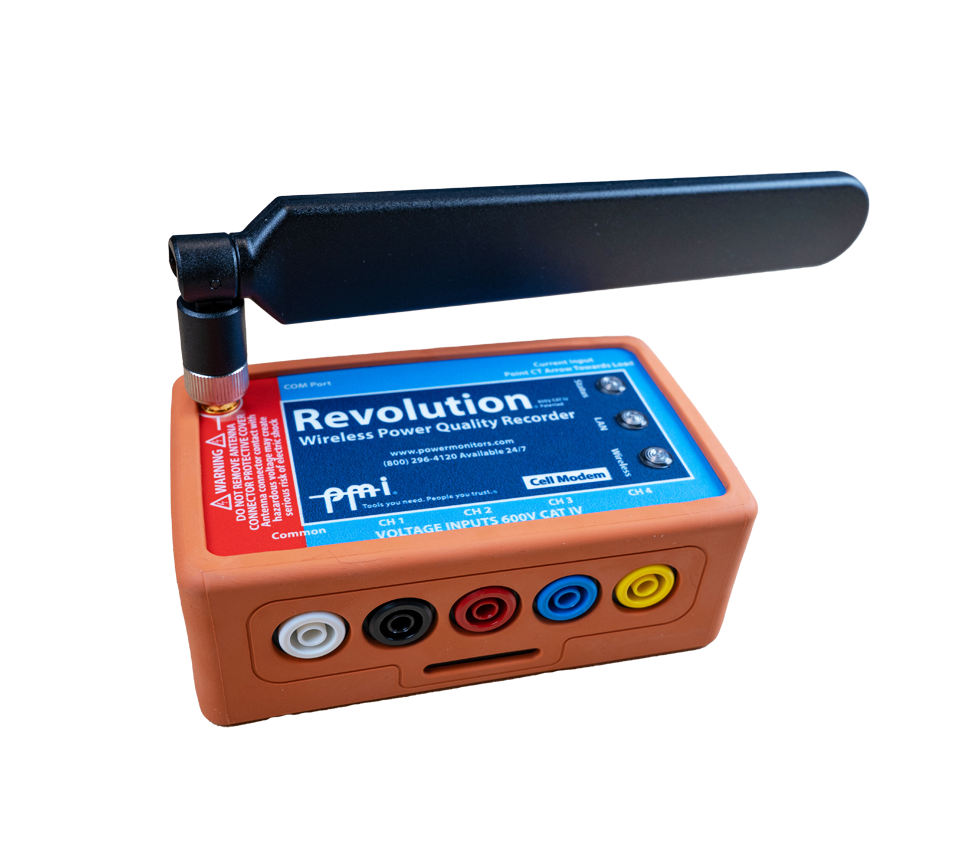
Each of the aforementioned use cases will result in widely varying data usages– and none of them are mutually exclusive (i.e., a user may decide to use the Cell Revolution (Figure 1) for all of the four broad categories listed above). Finally, for recording based data usages, the storage capacity of the Revolution (16MB or 128MB) will have a significant determining effect as well.
Wireless Data Plans and Data Usage
The following are typical “M2M” (machine to machine) data plans: 50MB, 250MB, 1GB, and 5GB per month. This refers to the amount of data, in bytes, allowed per month; any amount over this typically has overage charges on a per-KB or per-MB basis (1KB = 1024 bytes, 1MB = 1024 KB).
For a Revolution with 16MB of storage, assuming the entire storage has been filled, a user can expect to download at the following rate per month for each plan:
| Plan Type | Max Downloads/Month (memory full) |
|---|---|
| 50MB | 9 |
| 250MB | 47 |
| 1GB | 192 |
| 5GB | 960 |
For a Revolution with 128MB of storage, assuming the entire storage has been filled, a user can expect to download at the following rate per month for each plan:
| Plan Type | Max Downloads/Month (memory full) |
|---|---|
| 50MB | 2 |
| 250MB | 13 |
| 1GB | 53 |
| 5GB | 268 |
The numbers above have been calculated by estimating the network overhead combined with the average compressed recording size to be transferred. Recorded data sent to ProVision or Canvass is heavily compressed to minimize cell network traffic. The compressed data expands once it has been transferred to disk, especially after applying the recording meta-data for ProVision.
A 16MB Revolution with default settings (voltage, current, power stripcharts, 1 minute interval) will record for 45 days before filling up the stripchart memory. Adding flicker, THD, and odd harmonics to the 15th still allows for 12 days of recording time. This would only fill up memory 4 times in a month, and a 50MB/month plan would be sufficient.
A 1 second stripchart interval with default settings would fill a 16MB Revolution in just 18 hours, and would require a 250MB/month plan at a minimum if it were downloaded each time.
Real-Time Readings
By connecting with ProVision, real-time measurements, waveforms, and vector diagrams may be viewed as shown in Figure 2. This averages about 3KB per second. A 50MB/month plan would allow for 4.7 hours of continuous realtime readings per month, with no allowance for any recorded data downloads. Normally real-time readings aren’t a significant part of the data usage when used for spot checks and hookup confirmation, but if left connected for long periods, can eat into a plan. With 10 minutes per day, the usage adds up to around 50MB/month.

Canvass
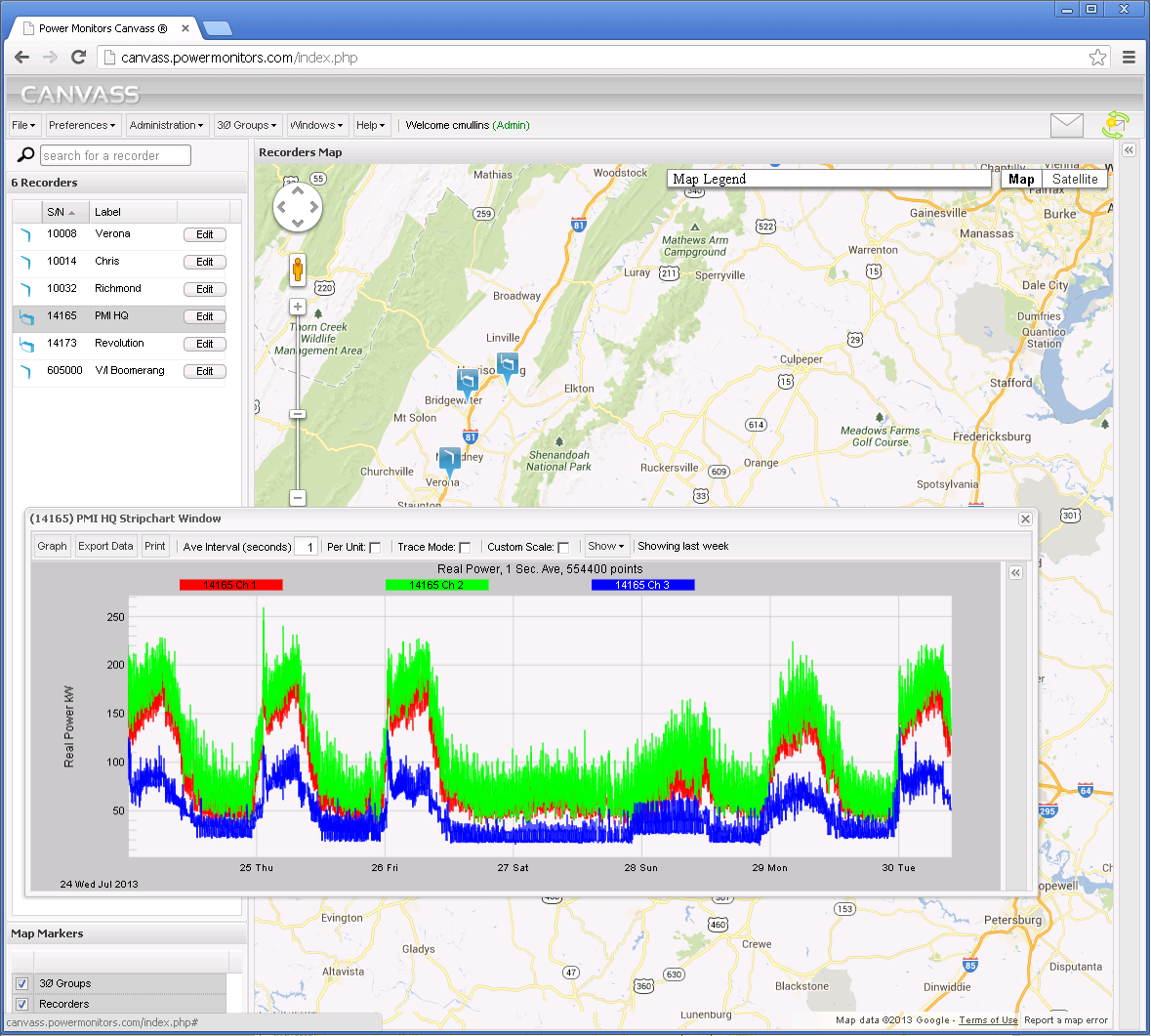
The Cell Revolution can send data to Canvass, PMI’s web-based data capture and analysis system as shown in Figure 3. This connectivity is completely separate from the ProVision connection, and adds to the cell usage. The Revolution sends 1 second RMS voltage, current, real, reactive and apparent power, and power factor to Canvass in compressed data packets around the clock. This adds up to around 25MB/month in data usage.
Note on Ethernet Usage
It is worth noting that if a user is connected using a hard-wired Ethernet connection then the data is not sent through the cellular modem and the bandwidth usages do not apply.
Examples
Consider a Revolution that will be permanently installed for long-term monitoring at a sensitive location. A typical setup would be a 5 minute stripchart interval, all basic settings enabled, plus odd harmonics to the 11th. In addition, Canvass is used, plus spot real-time readings once per week for a few minutes. With a 5 minute interval, a 16MB Revolution will last the entire month, taking less than 12MB of data usage. Adding 25MB for Canvass, and 7MB for the realtime readings (3KB x 10 minutes x 60 seconds/minute x 4 times/month) results in 48MB total. A 50MB plan would be a good starting point, and 250MB would allow for unexpected overages and changes in usage.
Next, consider a Revolution used in a series of troubleshooting scenarios. Here, many harmonics may be required, and a short recording interval used for maximum time resolution. Downloads are daily, and realtime readings are examined twice per day for 5-10 minutes. In the background, Canvass is used for archival recording of basic 1-second readings. 1 second interval basic stripcharts and odd harmonics to the 15th will fill a 128MB Revolution in around 24 hours, and with 1GB/month plan, can be downloaded 53 times/month. Downloading it daily is about 57% (30/53) of that, or 580MB. Adding 25MB for Canvass and 10x60x2x31x3KB = 109MB for realtime readings. The total is 580+25+109 = 714MB/month, so a 1GB/month plan is a good fit.
Miscellaneous
Connection pooling is a feature where multiple devices on the same account can pool their monthly data allowance, and if the total is not exceeded, there are no overage charges. If available, connection pooling is very handy for situations where just one or two devices have a lot of unexpected usage, but the specific devices are not predictable in advance.
SMS messaging is not required for Revolution operation; this should be blocked to avoid possible extraneous charges. (SMS alerts from the Revolution are sent from PMI’s Canvass system, not from the cell carrier).
Networking features such as a public, static IP address may incur additional monthly charges. This is not required for basic cell Revolution operation, but may simplify networking requirements from an IT perspective.
Conclusion
Choosing the right data plan for a Revolution is important for minimizing monthly costs, but it depends on how the Revolution will be used. Guidelines are given here for making the best choice.