
Power Monitors, Inc. Canvass supports all the major browsers, including Microsoft Internet Explorer (IE) 7-9, Mozilla Firefox, Google Chrome, and Apple Safari. The browser, device-type, and data connection chosen will all affect the overall Canvass experience. The following is a list of the best performing browsers to use with Canvass, listed from least performing to greatest performing. A speed test of the different browsers can be found in Table 1.
Canvass was written using native web technologies. This means that you don’t need a third party plug-in like Adobe Flash or Java installed in your browser for Canvass to work. If you are using Internet Explorer, Active X does not need to be enabled for Canvass to work. Canvass’ web front end was written entirely in JavaScript, so JavaScript must be enabled in your browser for Canvass to work.
When available, Canvass uses the most recent HTML 5 technologies to improve speed and visual appeal. Browsers that support the latest HTML 5 technologies include: Internet Explorer 9, Google Chrome, Mozilla Firefox, and Apple Safari. These browsers support the canvas element, used to draw graphs in Canvass faster.
| Browser | Time First Time Loading App** | Cached Loading* | Time Graphing One Week of Histogram Data for 4 Recorders | Memory Used (in Megabytes) |
|---|---|---|---|---|
| Chrome | 23.8 | 1.9 | 4.5 | 79.9*** |
| Firefox | 17.6 | 2.3 | 4.5 | 107.0*** |
| IE 6 | 34.2 | 6.6 | 5.6 | 125.6*** |
| IE 7 | 25.8 | 6 | 5.7 | 119.7*** |
| IE 8 | 18.8 | 3.2 | 5.8 | 114.3**** |
| IE 9 | 21.2 | 2 | 4.3 | 58.5**** |
| Safari | 17.4 | 1.7 | 4.6 | 114.8*** |
| Safari (iPad) | 18.4 | 4.5 | 5.1 |
(Times are an average of 6 trials, measured in seconds)
*All modern browsers support caching, the ability of the browser to save files related to the website in memory. This means that the first time the browser loads the website will be significantly slower than the next time it loads the site.
** Loading time is the time it takes to completely load the app, including the time it takes to load the Google Map.
*** Run on Windows XP Professional, Version 2002, Service Pack 3, 512 megabytes RAM.
**** Run on Windows 7 Enterprise N, Service Pack 1, 1 gigabyte RAM.
Canvass Enhancements in More Recent Browsers
Canvass running in newer browsers benefits from visual enhancements. All recent browsers support CSS 3, and because of this, there are many visual enhancements in these browsers. Support for rounded corners on many of the applications buttons and drop shadows on the map marker info windows give the application a cleaner, more attractive look.
Additionally, more recently released browsers are faster than their older counterparts. Canvass loads and operates much faster in more recent browsers, as shown in Table 1. Expect faster graphing, smoother animations, and faster loading times in these browsers.
JavaScript is a scripting language used in the browser to bring interactivity to web pages without the need for plug-ins like Adobe Flash. The user interface component of Canvass is written entirely in JavaScript. Browsers interpret JavaScript differently, which accounts partially for speed differences in Canvass across different browsers. The more advanced a browser’s JavaScript interpreter is, the faster Canvass will run in that browser. Newer browsers, such as IE 9, as well as Chrome and Firefox, feature advanced JavaScript interpreters. Older browsers, such as IE6, have slower, less advanced JavaScript interpreters.
Internet Explorer
Canvass is supported on Internet Explorer (IE) 7-9. Generally, more recent versions of Internet Explorer perform better than older versions. Of the versions of Internet Explorer, Canvass runs the fastest in IE9. Unfortunately, IE9 can only be installed on computers running Windows 7.
Google Chrome, Mozilla Firefox, and Apple Safari
The most recent versions of Chrome, Firefox, and Safari all support Canvass, as well as the added visual and speed enhancements that come with modern browsers.
Increased Speed in Chrome with the V8 JavaScript Engine
Canvass’ speed while running in Google Chrome is due to the V8 engine, Chrome’s JavaScript interpreter. V8 optimizes JavaScript while it is running, focusing on code that is executed more often. That means that if you draw a lot of strip chart graphs in Canvass, Chrome will optimize the drawing code to run faster. Chrome is so fast, in fact, that Canvass was developed using it.
Mobile Browsers
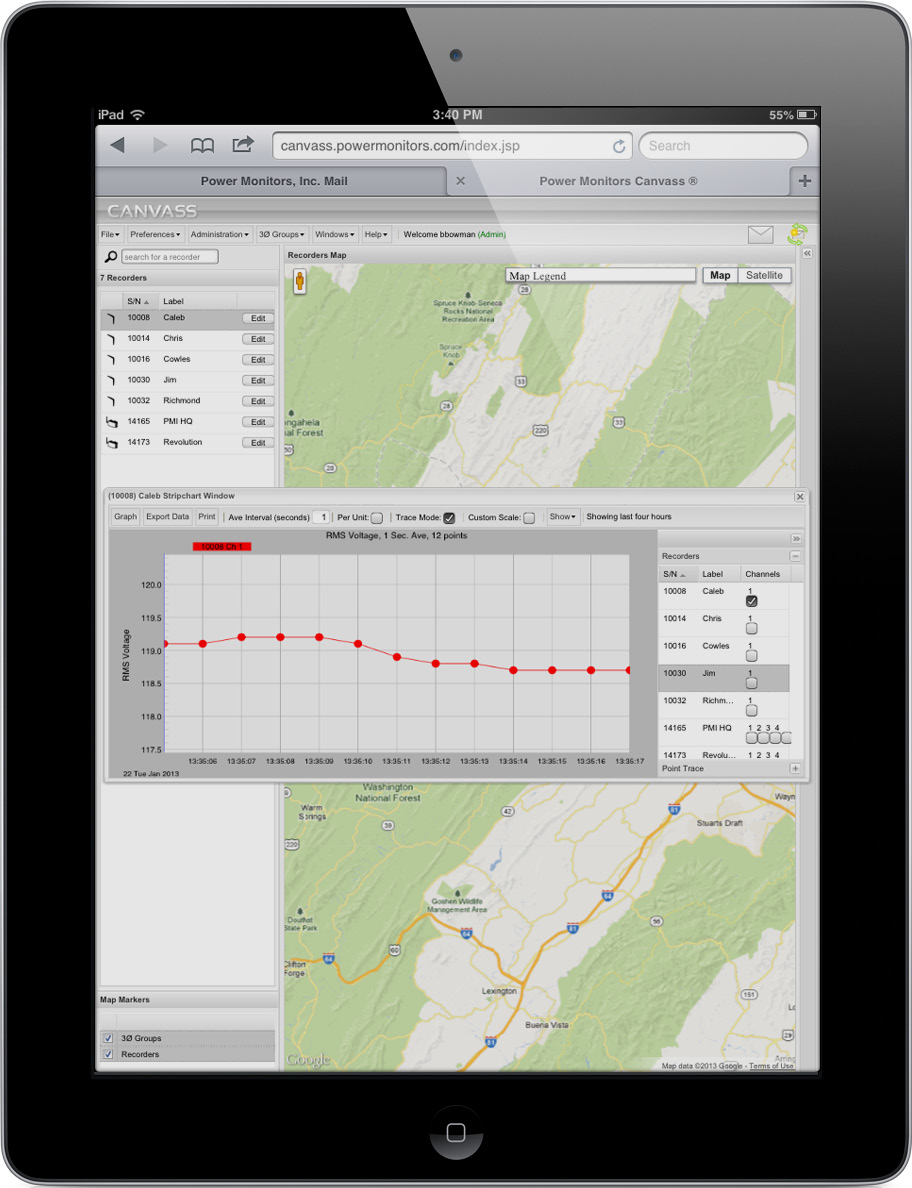
Canvass has been tested and works on the iPad (Figure 1), as well as the Google Nexus 7 tablet. Several things are different with Canvass running on the iPad and the Nexus 7: windows are not resizable, and graph zooming is different. To zoom in on a graph on these devices, touch the graph where you would like to begin zooming and drag your finger to where you want to finish, then lift your finger.
All user data in Canvass is tied to your account, not any one browser. This means that if you save settings, such as map preferences, in Canvass on your work computer, you will see the same settings when you log in to Canvass at home. Preferences are stored in a database, so Canvass will be the same for you no matter where you log in. You may also use Canvass with a mix of web browsers, such as Firefox at work and Chrome at home.
Choosing the right browser to use with Canvass is important. For the best possible Canvass experience, PMI recommends using either Firefox or Chrome. Canvass is constantly being improved, with new features being added regularly. To register for a free account and demo Canvass, go to http://canvass.powermonitors.com/util/register.jsp.
Microsoft Internet Explorer 6-8
Internet Explorer, Microsoft’s popular web browser, delivers a basic Canvass experience. More recent versions of IE are faster than older versions.
PROS:
- Installed on every Windows machine
CONS:
- No support for Cascading Style Sheets (CSS3)
- No support for HTML5
- Slower than Firefox, Chrome, and Safari.
Microsoft Internet Explorer 9
Internet Explorer 9 is the second latest Microsoft web browser. It delivers a visual experience consistent with the rest of the modern web browsers.
PROS:
- Support for CSS 3 and support for most of HTML 5
- Has smallest memory footprint of tested browsers.
CONS:
- Can only be installed on machines running Windows 7
Mozilla Firefox
Firefox is one of the most popular browsers. Its speed and good support for HTML 5 and CSS 3 make it a solid browser. In testing it performed slightly faster than Safari and Chrome.
PROS:
- Cross platform
- Good support for HTML 5 and CSS 3
- Customizable through add-ons
CONS:
- Add-ons slow Firefox down
Google Chrome
Chrome is Google’s popular browser, and is a solid performer. Chrome sports a fast JavaScript rendering engine, which makes Chrome ideal for viewing Canvass.
PROS:
- Cross platform
- Fast JavaScript rendering engine
CONS:
- Cannot be installed on a non-Intel core machine
Apple Safari
Safari is nearly on par with Firefox. As with Firefox, it has support for HTML 5 and CSS 3.
PROS:
- Installed on every Mac machine
- Cross Platform.
- Good support for HTML 5 and CSS 3
- Customizable through extensions.
CONS:
- Has a high memory footprint.