
Abstract
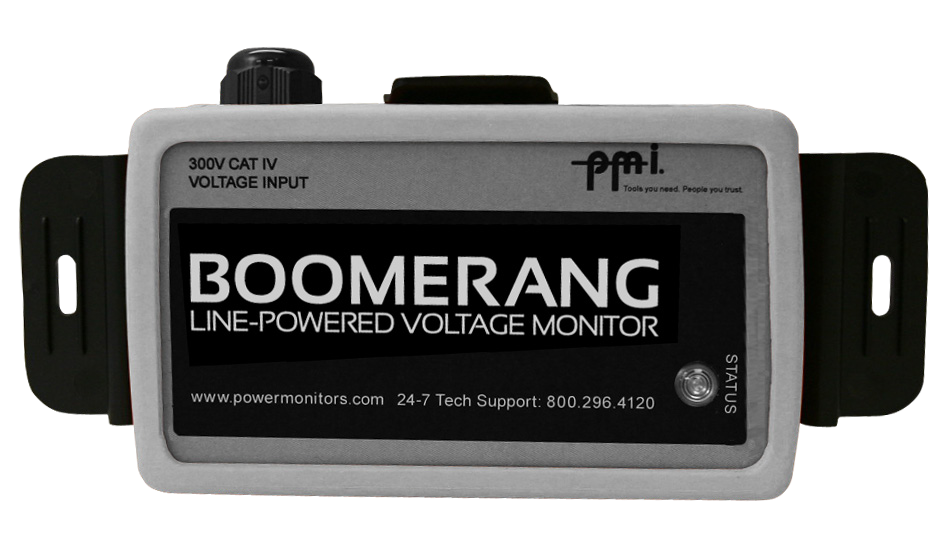
A custom Access Point Name (APN) gives an enterprise many connectivity options for mobile telemetry devices that are not available when using consumer wireless accounts. These options include static public or private IP addressing, mobile terminated data connections and custom firewall settings. An APN can be used in conjunction with connections to PMI’s Boomerang voltage monitor from an IP-based SCADA system. These connections can be configured to use an encrypted link to satisfy cyber-security requirements.
Many telemetry devices use GSM modems, including vending machines, medical monitoring, water management and electrical supervision devices. All GSM devices must have a SIM card, which marries a device to a phone number, and an APN assignment. Most consumer devices are pre-programmed to the appropriate APN at time of purchase.
Security is not a foregone conclusion with any APN, though it can be a feature of a custom APN. On a consumer APN, security is provided by the application by using SSL for web pages or email access. With a custom APN, a telemetry device can be prevented by the cell carrier from access to any network location other than the enterprise. Communications between the cell carrier and enterprise network can use encrypted links. Taken together, limited access and encryption provide the enterprise a secure solution to monitor and control mobile devices located anywhere in the country.
Pre-Configuration Decisions
Getting started with an APN requires several decisions to be made. The first choice is how to connect the enterprise network to the cell carrier’s network. The most common choices are a Frame Relay virtual circuit or an IPsec VPN tunnel. While more expensive, Frame Relay allows the enterprise to defer some networking decisions until later in the process or easily change them once the APN is established. An IPsec VPN tunnel is much less expensive and can be deployed using many standard routers and firewalls. A VPN tunnel requires both sides of the network to be known in advance. Making changes later requires reconfiguration on both sides followed by a restart of the link.
After deciding on the connection method, the features available to the mobile device must be chosen. Available features include text messaging (SMS), mobile-terminated connections, static IP addressing and public or private IP ranges. When using an APN in conjunction with PMI’s Boomerang, SMS capability can provide statistical information on the current status of the device and allow the user to modify configuration parameters or reboot it. Mobile-terminated connections allow communication from a computer to a mobile device. Normally, only mobile-initiated traffic is permitted. Mobile-terminated connections and static IP addressing are required features if DNP3 polling will be in use from a SCADA system to a Boomerang. Public IP addressing for APN devices is convenient as all devices have immediate Internet access, however each public IP address will incur additional monthly charges. Private static IP addresses do not have a per line charge and have the added benefit of de facto security. If an IPsec VPN is in use, Internet access can only be realized through a proxy running within the enterprise network. If using private addressing, two IP address ranges must be known or allocated. The first is on the enterprise network and will include the IP addresses of systems that mobile devices will communicate with. The second is the range of IP addresses to be assigned to mobile devices. Finally, redundancy of the connection to mobile devices must be evaluated. Two or more connections to the cell carrier will provide reliable communication, but doing so requires the extra step of configuring Border Gateway Protocol (BGP) on routers within the enterprise network.
Configuration of an APN Using IPsec and BGP
The remainder of this paper assumes that private IP addressing will be used on mobile devices, an IPsec VPN tunnel will be used to connect the enterprise and the cell carrier, and redundant connections will be used requiring BGP routing. Figure 1 illustrates the conceptual design of a completed APN configuration.
Begin by determining BGP peer addresses for the enterprise side. The peer addresses for the cell carrier’s routers will be provided sometime after the information gathering phase. The address of each peer will need to be reachable through the IPsec tunnel.
Next, configure interesting traffic for the IPsec tunnel. IPsec uses policies to determine what sources and destinations should be allowed to traverse the tunnel. On Cisco devices, these policies are defined using access lists. At least two policies will be defined. The first will allow traffic from the enterprise network to the mobile devices. The second will allow traffic from the enterprise BGP router to the cell carrier’s BGP router. The cell carrier will configure IPsec policies in the reverse order. Encryption settings for the IPsec tunnel should be negotiated during the information gathering phase with the cell carrier. DES (or 1DES), 3DES and AES are available for encryption algorithms, but only 3DES or AES should be used as DES encryption can be easily broken by modern computers.
Finally, configure BGP on each router. If a BGP autonomous system number (ASN) has already been obtained and is in use within the enterprise, the same number can be used in peering to the cell carrier network. If not, the cell carrier can provide an ASN within the range of private numbers available to BGP. Each BGP router should have a static route entered for the remote BGP peer using the IPsec device as the gateway. When configuring the BGP session to the cell carrier (an external BGP peer), the ebgp-multihop parameter is required as the remote peer is at least two hops away and not directly connected as external BGP requires by default. Internal BGP peering should also be established between each of the enterprise BGP routers.
IPsec and BGP can be run on the same machine, but additional steps must be taken to do so. First, a routable loopback address should be assigned to the device. When testing the IPsec tunnel, the loopback address should be used as a source IP address, otherwise the traffic will not traverse the tunnel. The cell carrier will need to configure the BGP router on the carrier side to peer with the loopback address. Within BGP, the update-source parameter must be set to the address of the loopback device.
Conclusion
A custom APN can provide an organization with the flexibility to communicate directly with mobile devices on a cell carrier network, allowing remote management and encrypted communications. While applicable to enterprises of all sizes, a custom APN may not be necessary for deployments of less than 100 devices due to the complexity and expense involved in setup. Larger organizations will benefit from the ability to monitor and control large quantities of mobile devices in a secure environment.
