
Abstract
DNP3 (Distributed Network Protocol) is a communication protocol used primarily in utilities and industrial settings for automation and control systems. It is designed to enable reliable, secure communication between control systems and field devices such as sensors, actuators, and remote terminal units (RTUs). The protocol uses a master-slave or client-server model where the master (or client) initiates communication and requests data or commands from the slave (or server) devices. The master device polls the slaves to request updates, or the slaves can send unsolicited responses if configured to do so. The DNP3 protocol plays a crucial role in SCADA systems where it is used for communication between master stations and remote devices.
There are several white papers describing the Boomerang family of connected distribution monitors DNP3 point map. White Paper 118 (An Overview of DNP3 and the Boomerang Point Map) contains PMI’s original point map created to support the single phase, voltage-only Boomerang. This first version of the point map was superseded by the version 2.0 map to support the growing Boomerang product line as described in White Paper 167 (Boomerang DNP3 Point Map 2.0). Additional point map changes are described in White Paper 316 (DNP3 Point Map 2.0 Update) detailing an expanded point map used by the Boomerangs.
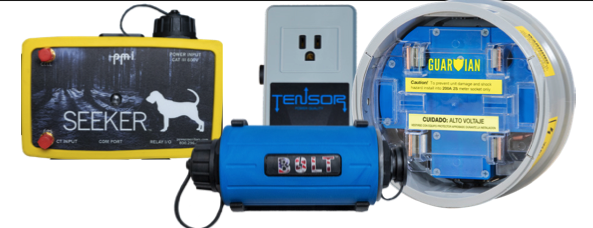
PMI’s newest product line (Tensor, Guardian, Seeker and Bolt) have additional capabilities not found in the current point map. This white paper details the expanded DNP3 point map making available these additional capabilities.
DNP3 Points
The DNP3 protocol is used by SCADA systems to monitor and control a wide range of external devices. The protocol itself is freely available to device manufacturers so that products from different vendors can be utilized on the same SCADA system. The DNP3 protocol is very generic in its method used to access the data on a device (known as RTU’s, remote terminal units or outstations). The protocol utilizes a series of groups and points within each group. The groups of data types (binary input, analog output, etc.) are defined by the protocol while the points within each group are defined by the manufacturer of the outstation. The new product line expands the Boomerang DNP3 point map with additional points for exposing the expanded capabilities.
New Points for PMI Devices
The new product line has more power quality measures than the Boomerangs. These measures include:
- Reactive Power
- Apparent Power
- Phase Angle
- Power Factor
- Displacement Power Factor
- Voltage THD
- Current THD
- Frequency
- PST Flicker
- PLT Flicker
- IFL Flicker
- Harmonic Voltage Magnitudes
- Harmonic Voltage Phases
- Harmonic Current Magnitudes
- Harmonic Current Phases
Enabling DNP3 on a PMI Device
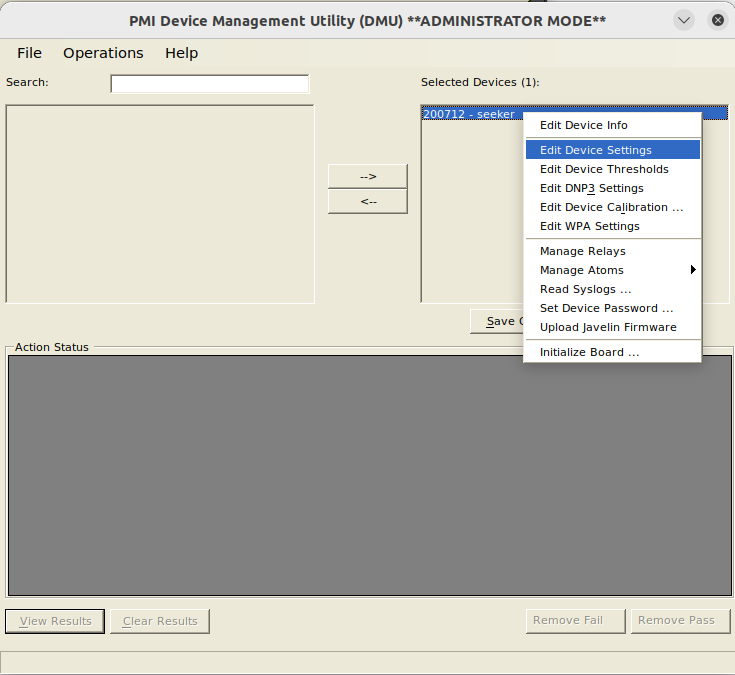
Enabling DNP3 on a PMI Device is done using the PMI Device Management Utility (DMU) using the following steps:
- Run the DMU, select the desired PMI Device, right click on the device and choose the “Edit Device Settings”.
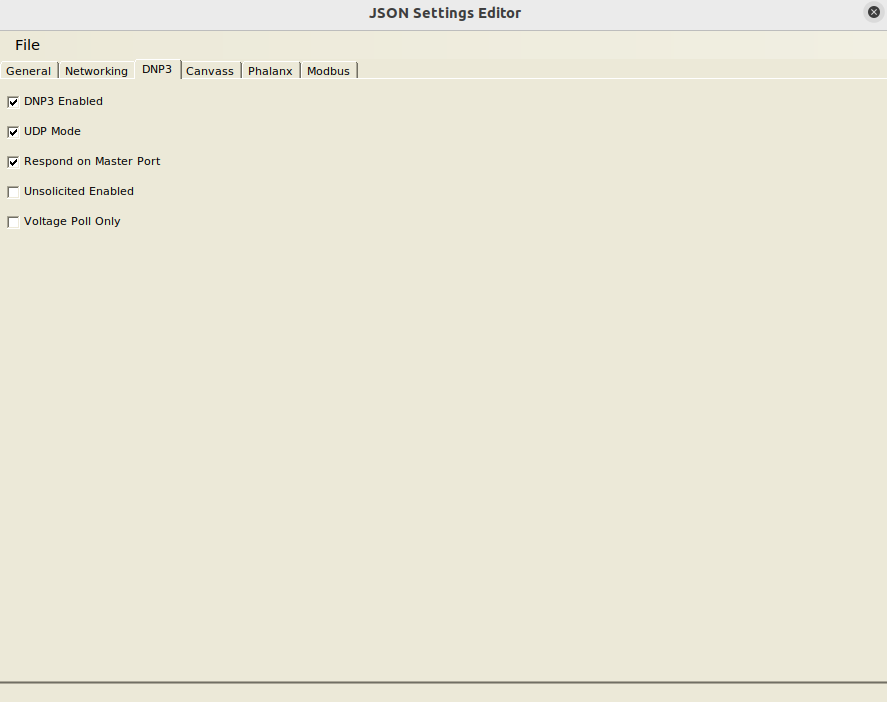
2. When the device settings page is displayed, choose the DNP3 tab and check the “DNP3 Enabled” checkbox.
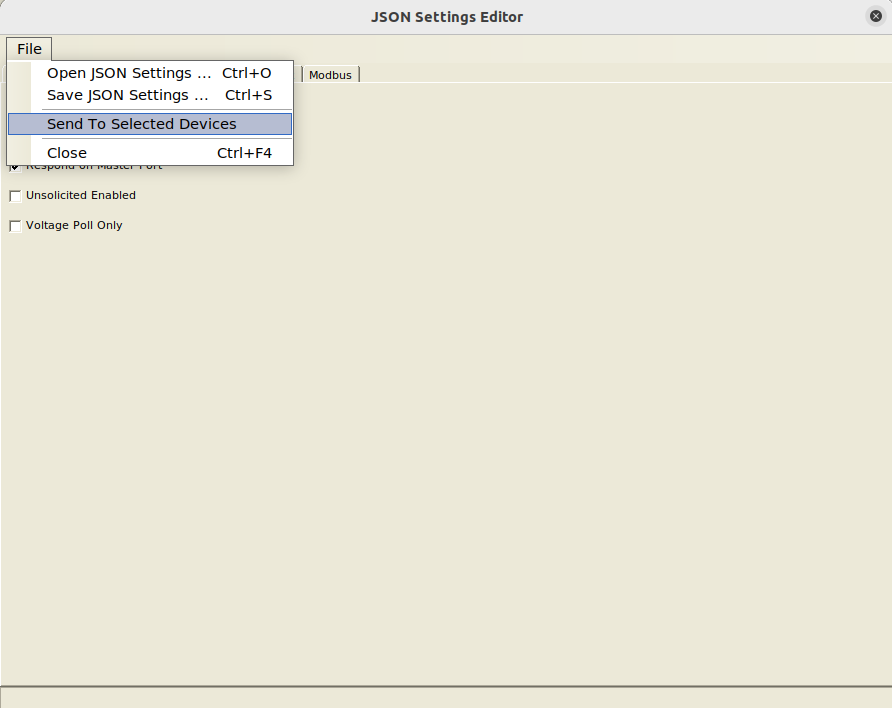
3. From the File menu, choose “Send To Selected Devices” menu item to send the new setting to the device (figure 3). The device will reboot after it applies the new settings.
Conclusion
PMI’s newest line of Power Quality recorders (the Seeker, Tensor, Guardian and Bolt) are a versatile set of tools that can be used to provide data multiple ways including to PMI’s PQCanvass web application, PMI’s ProVision Windows Desktop application, PMI’s PmiView iOS application and also as a DNP3 enabled outstation for general use with SCADA systems. The new PMI product line could be the only outstations in use on a SCADA network or they could be combined with PMI’s Boomerang Voltage Monitors and with any other types of outstations from other vendors due to the generic nature of the DNP3 protocol.
With the additional capabilities and additional DNP3 data points, the PMI devices can provide more Power Quality data for the utilities SCADA systems and the point map has been updated to expose this data.
The point map can be found below and is available for download below.
