
Different Releases of ProVision
The communication software provided by Power Monitors has received several substantial updates since its inception. The most recent major version released is ProVision 1.60. ProVision 1.32 is still available, however, it is recommended that users upgrade to the latest public release when possible, as new features and bug fixes are pushed out with every build. This whitepaper serves as a summation of the significant changes that have been introduced to ProVision 1.60 that are not present in earlier releases.
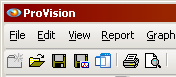
As shown in Figure 1, the current running version of ProVision can be determined simply by checking the program’s title bar: for release 1.32, the title bar simply displays “ProVision”. For later releases up to and including 1.60, the title bar displays “ProVision 1.60”, followed by a build number. It’s important to note these different build numbers, as changes in the program can vary between them as well, and that it’s recommended that the most recent version of ProVision be used.
Architecture Changes
ProVision release 1.32 supports communication with most PMI recorders via direct connection—that is, via serial, USB, Bluetooth, or the PMI USB-serial adapter cable. This requires the recorders to be physically connected to the computer, or within proximity for a Bluetooth connection. ProVision 1.60 supports not only these connection types but additional ones as well: cell modem, and TCP/IP. As such, these connection types do not require the recorder to be physically connected to the same machine; they only need be accessible over a network to allow a connection to be established. Recordings retrieved from recorders in release 1.32 are saved as files with a .xsf extension, which is a serialized plain-text. However, as shown in Figure 2, recordings retrieved from recorders in release 1.60 use the .xsb extension, which is binary file format. Therefore, this means that release 1.32 cannot open .xsb files, simply due to the logic for doing so being included in the later version. However, when opening a .xsf file in release 1.60, it’s converted to the .xsb format as shown in Figure 2. The original .xsf file is left intact during this conversion. After the conversion, ProVision simply opens the newly-created .xsb file. This binary format is capable of handling arbitrarily large recordings, like those from a 1GB Revolution or Vision, whereas the .xsf format would not be able to properly contain all of this data.

Additional recorders with new technology and recording functionality, such as the Revolution and the Vision, have been developed and made available since the release of 1.32. These recorders are not supported by 1.32 because their technology did not exist when 1.32 was originally released. The Revolution and Vision support transient capture and harmonic export, both of which are features not available in 1.32. In addition, the PQDIF export functionality in 1.60 has been extended in order to accommodate these transient captures and harmonic exports.
As demonstrated in Table 1, fundamental changes to the ProVision code base are also performed, alongside other maintenance, in order to optimize calculations and make the program run more efficiently.
| Graph Type | Recording | PV 1.32 (s) | PV 1.60 (s) | Absolute Difference (s) | Percentage Decrease | Speed Increase Factor |
|---|---|---|---|---|---|---|
| RMS Voltage and Current | a (13.4MB/16.8MB) | 10.8 | 1.45 | 9.36 | 86.6% | 7.46 |
| b (1.5MB/1.6MB) | 2.34 | 0.14 | 2.20 | 94.0% | 16.7 | |
| Apparent Power | a (13.4MB/16.8MB) | 3.59 | 0.82 | 2.77 | 77.2% | 4.38 |
| b (1.5MB/1.6MB) | 0.10 | 0.04 | 0.06 | 60.0% | 2.50 | |
| RMS Waveform Capture | a (13.4MB/16.8MB) | 333 | 2.50 | 331 | 99.3% | 133 |
| b (1.5MB/1.6MB) | 37.8 | 1.04 | 36.7 | 97.2% | 36.3 |
For example, the algorithms for drawing stripcharts have been heavily modified in order to reduce the time it took between when a stripchart is requested and when it is actually drawn to the screen. The measurements here are for two different recordings, A and B, and their respective times in milliseconds for opening different types of graphs in different versions of ProVision. File A has a recording duration of 1 day 18 hours, and file B has a longer duration of 110 days 20 hours. Each recording file was tested as a .xsf file in ProVision 1.32, and as a .xsb file in ProVision 1.60. These tests were performed in a Windows XP SP3 virtual machine using clean installs of ProVision.
As the chart shows, when opening different types of graphs in ProVision, release 1.60 consistently outperformed release 1.32. In fact, for the RMS Waveform Capture graph for recording A, release 1.60 performed the open operation over one-hundred and thirty-three times faster than its predecessor. As file size and graph complexity increases, the turnaround times become that much faster and more noticeable.
Ongoing Support
Release 1.32 was originally created for Windows XP and predates subsequent versions of Windows operating systems, such as Windows 7. When the Revolution and Vision recorders were developed, release 1.60 and the .xsb file format were conceived out of necessity in order to handle the large amounts of data the recorders were capable of containing. Since release 1.60 was scheduled for deployment within the same time frame as the wide release of Windows 7, it was a natural fit for this release to be compatible with this new operating system. For this reason, release 1.32 is optimized for use on Windows XP, while release 1.60 is optimized for use on both Windows 7 and Windows XP. This takes into consideration most of the functionality present in Windows 7 that are not in XP, such as the User Account Control. Release 1.60 is better equipped to interact with these features than release 1.32.
Furthermore, the current trend of computing indicates a migration away from 32-bit architectures and operating systems and toward 64-bit architectures and operating systems. Release 1.32 runs exclusively on 32-bit systems. However, release 1.60 is configured upon installation to be supported on both 32-bit systems and 64-bit systems.
In addition, certain components and libraries created by third parties are installed with and relied upon by ProVision. As the original developers make modifications to their software to reflect changes to and accommodate newer operating systems, these updated libraries are included with different releases of ProVision as necessary. For example, one of the third-party libraries used by 1.32 has certain features that are available in Windows XP but not in Windows 7. However, in 1.60, these libraries have been updated to the most recent ones provided by the manufacturer, and thus these features are available in both Windows XP and Windows 7.
Power Monitors maintains release 1.32 as a static, unchanging build. Therefore, as the ProVision software product evolves due to implementation of new features and functionality, as well as the occasional bug fix, these changes will be incorporated as new builds of release 1.60.
Conclusion
This whitepaper covers just some of the many changes and modifications made to ProVision since its initial release, and to the significant ones between release 1.32 and 1.60. Even now, additional changes and fixes are being scheduled to be added to ProVision, thus resulting in a more feature-rich and robust software package.
